Dan_ATR
-
Posts
282 -
Joined
-
Last visited
Content Type
Forums
News
20th
EduGeek EDIT Conference
Blogs
Everything posted by Dan_ATR
-

Large 84" display comparison and advice please.
Dan_ATR replied to Dan_ATR's topic in AV and Multimedia Related
The reason why Screen is becouse its going to be on for most days. Projector lamps over time do dim, they can be easily damaged, projectors need to be configured, they also need to be mounted and look tacky. I am unable to put on one the ceiling due to type of ceiling there is and we are unable to place one up there (We could put one on the wall). Then when it comes to slight interactivity, your more less now in the same ball court. I have used them before in instances like this and they do not cut the job IMO. Also I need it for external people to use. ie, pc. -
Large 84" display comparison and advice please.
Dan_ATR replied to Dan_ATR's topic in AV and Multimedia Related
Thank you so much for that. Thats really helpfull. Pricing wise, the pricing is in this order. Expencive is at the top. There is a reason why they are spaced, with out giving much away. 7. Hitachi UHD8410 6. 5. BenQ RP840G - 84" 4. 3. IIYAMA 86" TH8667MIS-B1AG INTERACTIVE DISPLAY 2. 1. View Sonic 84" CDE8452T -
Large 84" display comparison and advice please.
Dan_ATR replied to Dan_ATR's topic in AV and Multimedia Related
The desition is that one of these will be purchased. Please dont add any others to the mix. I cant state the pricing online as the quotes are not like you see online. -
Large 84" display comparison and advice please.
Dan_ATR replied to Dan_ATR's topic in AV and Multimedia Related
Just added to the bottom of the first post I have added your reply. Just incase others ask. (No student interaction is needed. Originally, it was just going to be a screen with hardened glass. However, it is cheaper to get an Interactive Screen.) Also what do you mean by looking at other ones first? These are the only screens that are not over 4.7k -
Dear all, I am in the process of getting a networked CCTV system installed on site. We are going to be installing around 26 IP cameras to monitor the building out of hours along with using it for safeguarding and safety of Staff/Pupils (IE the fences, gates etc...) As we want a network system, we have come down to the two systems. They are more less identical other than the price. As I have used neither in a live environment, I really could do with external advice. I know Hikvision have been around for some time and no doubt may will say to get this over the Dahua, though from seeing the Dahua kit, I am really over whelmed by the quality too. Dahua are really pulling out the plugs on their kit to being world #1 for CCTV. Dahua interface for their kit is nicer to the eye easier to use too. I am using my own infrastructure for the system and using VLANs, its own Subnet and heavy duty Cisco switches with 370W POE units to power the kit. If you would recommend a different camera (not system) for any of these below, please comment it. Hikvision Hikvision DS7732NII416P 32 Channel NVR. Hikvision DS2CD2155FWDI 5MP Dome Network Camera. Hikvision DS2CD2355FWDI 5MP Turret Network Camera. Dahua Dahua NVR608-32-4KS2 32 Channel Ultra 4K H.265 NVR. Dahua IPC-HDW4431M 4MP IR Eyeball Network Camera. Yet again, I am sorry I am having to ask, but at the moment by brain is like scrambled eggs and making no sense at all. Sorry.
-
Hi Everyone, I am in the process of getting a fairly large display for our new hall (Don’t want projector as its too much hassle, H&S etc..) and have been quoted good on the following 4 products. IIYAMA 86" TH8667MIS-B1AG INTERACTIVE DISPLAY Hitachi UHD8410 BenQ RP840G - 84" View Sonic 84" CDE8452T What I would like to know from your experience, knowledge and comparing skills, is which one of these is the best. My primary needs are it has to have an Audio out, toughened screen, anti-glare, and lasts for ages. It will be used for school assemblies, also for when the place is being rented out. Therefore, it needs to also work on its own accord. The audio will be piped to a fixed PA system. I could compare them all myself but at the moment I am mentally too tired and losing it big time. Please could you all help please. (No student interaction is needed. Originally, it was just going to be a screen with hardened glass. However, it is cheaper to get an Interactive Screen.)
-
Ill be in Sardinia. So I wont be able to make it. Sorry. BTW, about to post up to topics about CCTV and also 84"/86" screens.
-
How to Customize the Windows 10 Start Menu/Desktop with Group Policy
Dan_ATR replied to Dan_ATR's topic in Windows 10
sorted.... -
How to Customize the Windows 10 Start Menu/Desktop with Group Policy
Dan_ATR replied to Dan_ATR's topic in Windows 10
ok, got it half working.... still ongoing.... the stupid GPO was unlinked from Thursday from when I was last looking at it. But now other things that were working have now stopped... im going crazy here... -
How to Customize the Windows 10 Start Menu/Desktop with Group Policy
Dan_ATR replied to Dan_ATR's topic in Windows 10
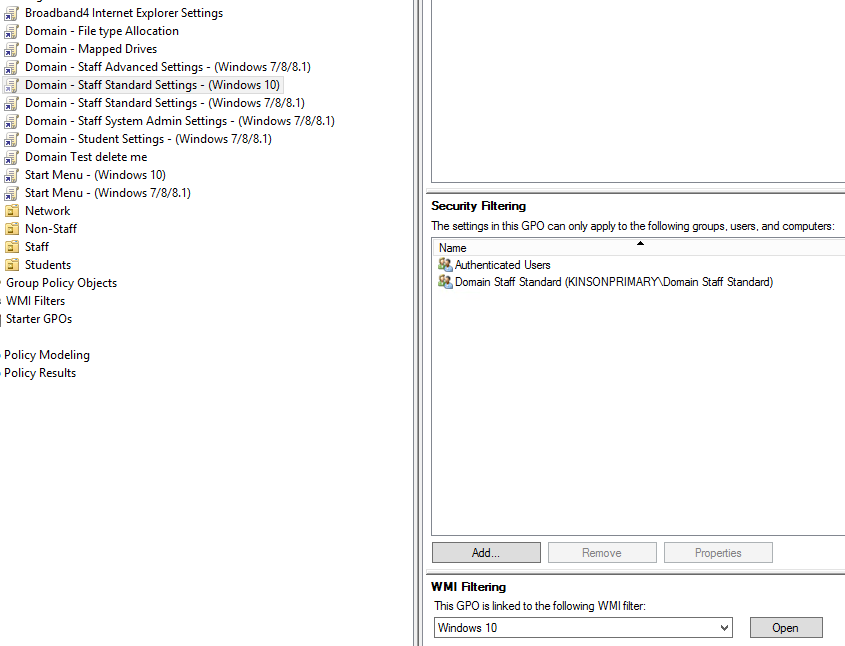
So correct me if I am wrong.... I need to have authenticated users added as well as my group with the users specified. I made the authenticated users read only and stil I have the issues. But if i add the authenicated users to apply the policy as well it some what brakes my entire GP structure.
-
How to Customize the Windows 10 Start Menu/Desktop with Group Policy
Dan_ATR replied to Dan_ATR's topic in Windows 10
Perfect.... I read it up. Made the changes... and... wait for it... nope... grrrr.... It definetly is down to that update and the security on the GPOs. doing a gp result shows nothing being pushed through for a user policy. -
How to Customize the Windows 10 Start Menu/Desktop with Group Policy
Dan_ATR replied to Dan_ATR's topic in Windows 10
Ah, no its not the WMI filter. its the security... If you take out authenticated users and only have my domain staff standard user group it then dies... -
How to Customize the Windows 10 Start Menu/Desktop with Group Policy
Dan_ATR replied to Dan_ATR's topic in Windows 10
Bl***** ****** got it working. Dam WMI filter was messing it up despite it working fine for a while. Ill look into that. -
How to Customize the Windows 10 Start Menu/Desktop with Group Policy
Dan_ATR replied to Dan_ATR's topic in Windows 10
I give up. Im using GB info now to fill the desktop image. But still does not resolve the other issues :/ -
How to Customize the Windows 10 Start Menu/Desktop with Group Policy
Dan_ATR replied to Dan_ATR's topic in Windows 10
Nope, still no good... im lost... -
How to Customize the Windows 10 Start Menu/Desktop with Group Policy
Dan_ATR replied to Dan_ATR's topic in Windows 10
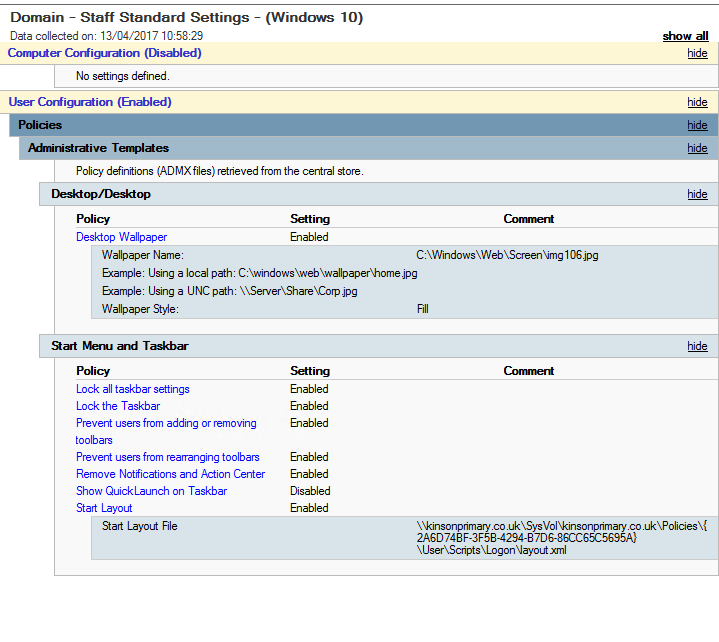
As you can see I am pointing to my custom image but no go. Not only that, the "Remove Notifications and Action Center" does not work either. It works well on my test 2016 server. PS, I have just removed the start layout to no effect.
-
How to Customize the Windows 10 Start Menu/Desktop with Group Policy
Dan_ATR replied to Dan_ATR's topic in Windows 10
Also, these are the GPOs that I downloaded.. https://www.microsoft.com/en-us/download/details.aspx?id=53430 -
How to Customize the Windows 10 Start Menu/Desktop with Group Policy
Dan_ATR replied to Dan_ATR's topic in Windows 10
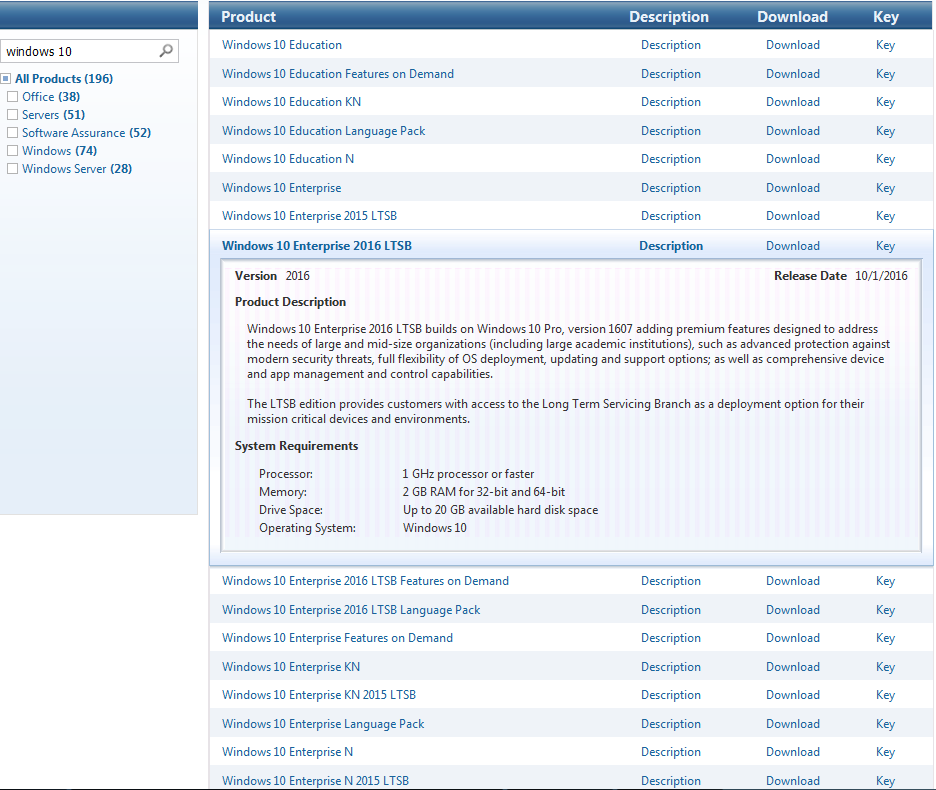
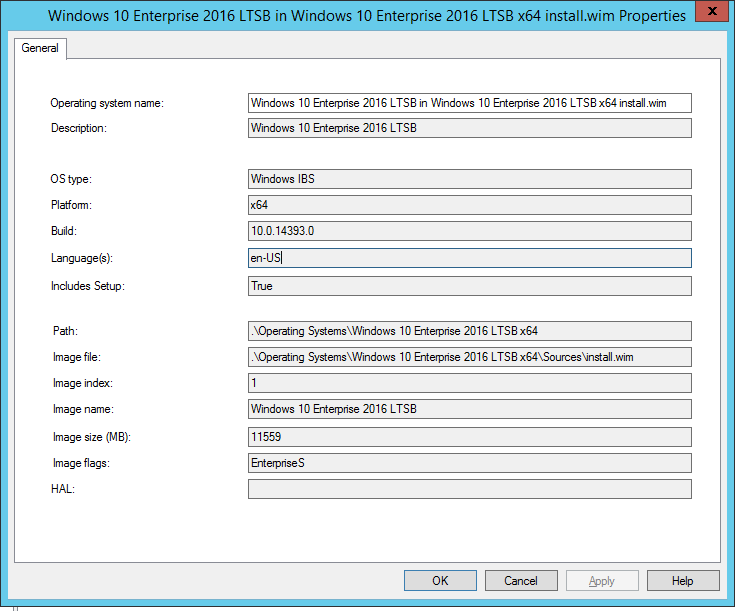
Do you by any chance have the URL for this please? Also I amd running Windows 10 Enterprise 2016 LTSB version 1607.
-
How to Customize the Windows 10 Start Menu/Desktop with Group Policy
Dan_ATR replied to Dan_ATR's topic in Windows 10
Thats the problem. I used the original GPO for windows 7 and nothing seems to work with windows 10 despite having the latest GPOs from january on in the policy definitions. For example, the desktop picture. Still shows the standard widnows 10 picture. -
HOW!!!! I have read all of https://technet.microsoft.com/en-us/itpro/windows/configure/customize-windows-10-start-screens-by-using-group-policy?f=255&MSPPError=-2147217396 and https://www.petri.com/how-to-use-and-customize-the-windows-10-start-menu and all this goof https://winpeguy.wordpress.com/2015/12/09/win10-start-menu-cleanup-using-defaultlayouts-xml/ and much more.... but im still "WHAT THE!!!" All I want to do is put in a new wall paper, and deselect some check boxes...
-
I use GPP Shourtcuts with Item level targeting. Works fine untill now each new users start menu shows everything but does not allow you to click untill next logon. Pan in the ass this. Want Windows7 or Windows 8 start menu.
-
Fixed it... Command line: cmd.exe /c netsh wlan add profile filename="%SCRIPTROOT%\Wireless Config.xml" start in: c:\
-
I tried that yesterday and it still didnt work. I will try again.
-
If I have to add another GPO for a fix that is a MS issue, im going to get a GPO and put it into MS servers where the sun dont shine and tell them they have a GPO issue......
-
I have exactly the same issue. Been trying to fix it over the last two days with no joy. Getting rather cheesed offf........ Did you get anywhere?