volt26
-
Posts
11 -
Joined
-
Last visited
About volt26

-
Hey there everyone. We need something quite specific in our school and my googlefu isn't strong enough. We will hand out to students tablets. For this specific class, the tablets NEED a strong case available on the market. It doesn't have to be a case made by the tablet manufacturer of course. This tablet needs to work with our SCCM + PXE deployment structure (with USB ethernet dongles or a dock station if necessary). Windows 10 pro must be supported by the tablet for software compatibility purposes (Windows S isn't an option if there is no way to install the pro version over it). The price should be under 900$USD or as low as possible if we have no choice to exceed. HDD must be a SSD of 128gb (preferably more but I'm aware it's most likely impossible at this price range). Ram should be 4gb or more (preferably 8gb). I have eyes on the Surface GO (JTS-00001) but I read on forums that SCCM deployment is impossible on these devices. Do you have experience with the Surface products or have other suggestions? Thank you.
-
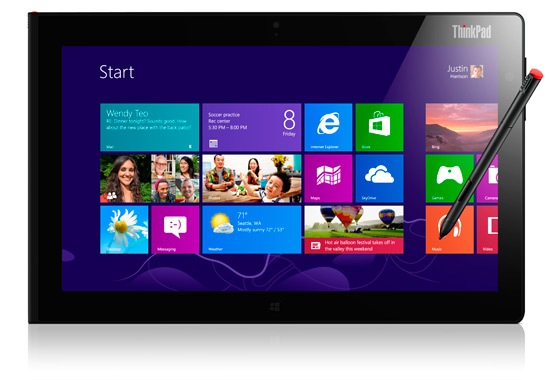
I've been searching for hours to understand why both Ghost and Acronis True Image boot CDs do NOT work on my "Lenovo Tablet 2" tablets. I finally found the horrible answer : my tablet has UEFI and is 32bit. If it was a 64bit tablet, I would then be able to use the boot CDs. I can't imagine there is no solution but I never googled so much for a solution without finding a hint of an answer. I found somewhere that it should be possible with the whole and heavy Microsoft solution (SCCM and stuff..) but to be honest, I was hoping for a solution similar to the one we've been using for years here : setup windows the way I want it and then do an image. The heavy Microsoft solution WILL be adopted into our enterprise but we're not ready for this now (we're really slow when it comes to this kind of changes and I am not allowed (nor have time) to venture into this in this time of the year. Wouldn't there be out there a simple boot CD that DOES BOOT into this kind of situation and allows me to image the whole disk? Thank you!

-
It can be ANY user, from ANY computer and for pretty much ANY printer (well, we have only HP printers so I can confirm all printers are networked Laserjet HP printers). All OS are under windows 7. The problem occurs rarely but when it happens, it MUST be solved the way I previously written (remove printer and add it again). Knowing that, it means it probably has something to do with drivers.. But if the problem is a bad driver, why does it become bad in the first place if it was perfect a few hours earlier?
-
I noticed this issue in many different enterprises : once in a while, a user will send a print request to his network printer and all he will get is tons of sheets with 1 line of gibberish. Each time, I solve the issue by removing the printer from the computer and reinstalling it. But... I wonder why it happens in the first place? The printer was obviously the right one because the user was able to print a few hours earlier on the exact same printer. Yet, reinstalling the driver fixes the issue. I thought it could be driver corruption but our computers are frozen under deepfreeze (most of you are probably familiar with this software). So if the driver was corrupted, a simple reboot should fix the problem yet it doesn't. All in all, I know how to fix the issue when it happens but I would like to know if I can PREVENT it. Is it possible?
-
Good morning! I got this annoying problem where an application shows several msgboxes when a new profile has been created in Windows (xp and 7). I would like to find a way to get rid of that annoyance. I can think of 2 ways but I have no idea how to do it. 1) Would it be possible to find the msgboxes in regedit and completly disable them? 2) I know GesAnt.exe does them so if it possible to tweak this file's permissions and get the same result? I'm looking for some opinions / solutions. If you want to know what app it is and why it happens : This app is Antidote HD. It is a spell checking program for the french language. Once installed on a computer, the app launch a msgbox saying Microsoft Office Word is now covered, the next msgbox is about Excel, and then Powerpoint and so on.. This is pretty annoying in a lab where dozens of different students create their profile. Thank you very much Jonathan
-
Any of you know what reg key needs to be modified to change activ inspire's shared documents? The name might be different than "shared documents" (I have the french version of activInspire) but it should ring bells to anyone used to play with this option of the swoftware. thank you very much
-
Hey guys, I rarely post new threads on forums but I'm desperate right now. I'm trying to use netbootdisk on my PXE to start ghost and do my multicast imaging. It works with most computers but I hit a specific problem with the HP d530s. Netbootdisk says the appropriate driver is the Broadcom 57x NetXtreme. It loads successfully with no errors and starts ghost.exe but it hangs there. I see the "about Symantec Ghost" window I usually see but it has nothing in it. (see picture) Any idea of what to do with this? [ATTACH=CONFIG]11766[/ATTACH] Btw.. is there a paramater to disable the "about" popup? I know it has nothing to do with my problem but once i fix it, I would like to avoid this thing thank you!
-
Problems with calibrating, frequently needing to recalibrate
volt26 replied to m0nty's topic in Promethean Direct Support
Where exactly are the calibration settings saved in the registry? Our computers are often deepfreezed so I would like to backup this information whenever it changes with a script and apply it when the user logs in. All I need to know is where that info is saved in the registry. thank you -
Very interesting.. Is it possible to save the default profile to a local folder instead? Also.. How can I order win7 to load the default profile from THAT specific folder instead of the one it loads by default? thank you very much
-
Thanks to you and the others for your replies but unfortunately, my situation is a bit different (I think). I do not need to change all computers at once.. Actually.. It is just that sometimes, a teacher will request a specific change like installing some application and configuring it in a very specific way (default save location, nag screen removed, appearance, language, etc..). BUT... 1st) we have Deepfreeze on all computers. This program will reset the computer's configuration to what it was when it was froze. It means you can basically do anything to it (install apps, viruses, delete stuff, etc) and within a single reboot, everything is back to what it was meant to be. In schools, this kind of thing is a huge relief for us. 2nd) Let's say I installed WordQ (app that reads aloud a text). Well, of course, I begin with unfreezing the computer and then I install the app. Back in winXP times, I was able to configure everything in WordQ and then copy the profile I configured WordQ with to the default profile. All students and teachers later login in this comp would then get the proper configuration. Otherwise, they get silly stuff like nag screens, requests to select what folder should their profile be saved on (if WordQ is being used for the first time) and so on. With Win7, things have changed.. I figured out I can use windows enabler to achieve the same thing. And it works! But Microsoft says I may end up having very random troubles when I use this method. So the alternative is to SCRIPT all these changes (example : .inf file modified in specific %userprofile% directory, reg keys added/modified in current user folder tree, etc.. But this task consumes MUCH MORE time than simply copying a profile like in the good old days AND the script would need to run over and over each time a user logs in because, remember, it is frozen by DeepFreeze. In the long run, there would be so many tweaks running in my script for a computer that it could even take a few seconds to process the whole thing. A few seconds isn't much but.. It is ridiculous to run a script over and over when the old way didnt require that. I hope my clarifications better describes my situation. Thank you for reading my wall of text
-
Hey there.. My question might have been answered somewhere but after a quick search in the forums I couldn't find anything that clearly fits my question so here it is : I have over 500 computers that I use a sysprep win7 image on. I used the copyprofile TRUE feature in my unattend.xml file to quickly have a default profile fitting my needs on all the computers. So far so good. But what can I do if I want to do a specific change (something more advanced that simply adding an icon somewhere of course) to the default profile? It seems Microsoft doesn't want us to deal with profile copying anymore.. I know I can work around this with tools like windowsenabler. But I wish to remain Microsoft certified to avoid future problems (that to be honest, I never met so far when using windows enabler anyways). So... What can I do? I want to avoid spending huge amounts of time scripting reg changes over and over. Especially because that specific script would need to run over and over on each reboot (we have deepfreeze). Some suggestions for a quick and easy solution would be cool. Thank you very much!