bigal06
-
Posts
101 -
Joined
-
Last visited
Content Type
Forums
News
20th
EduGeek EDIT Conference
Blogs
Everything posted by bigal06
-
The school pays since ownership is signed over upon receipt of the devices. Ideally, the parents should pay but as the devices are given to families in need there is no way they could afford to fund the repairs.
-
Yeah, I contacted Geo directly to see about getting parts and they said we don't offer that service and directed me to the DfE and noted £220 for 'repair'. Trying to source a compatible one from eBay but it looks like a bit of a gamble. I peeled back some tape on the screen that gives the number 'NT116WHM-N44' but that seems to show many variants. The key physical difference is they all seem to come with brackets at top/bottom or sides and the Geo doesn't have this. I don't believe that brackets on top/bottom would be an issue because they wouldn't get in the way so maybe going to take a punt at one from eBay for £39.00
-
Have you managed to locate a supplier for the screens @MJTayloronline? My supplier isn't having any luck. I've got the screen out but there is little to go by other than a barcode number '20201027' that is useless! Edit: Just realised that number is a date!
-
@meadowgirl We reimage ours when they come back in. We had to let them go out as is but we have now created the image. You can get into the BIOS using this website below. You need to enter the BIOS password incorrectly on laptop 3 times in a row. It then gives you a code that you can enter in the website and it gives you a BIOS password that gives you access and you can set all the settings as required (including a new BIOS password!). Free to reinstall OS from whatever method you choose and of course obliterating the Windows admin password. https://bios-pw.org/
-
It was emailed out to me by another member of staff who was co-ordinating it. This info was sent out to parents who then made the request back to school. There is something similar on here https://www.moneysavingexpert.com/news/2021/01/mobile-providers-table-students/
-
EE Be aware that until the end of January, it may take EE some time to process requests. • The recipient will get 20GB of additional data per month until 31 July 2021. • The offer is available to both Pay Monthly and Pay-as-you-go customers. • A text message will be sent to the nominated device once the additional data has been added to the account. • EE will process no more than 60,000 requests across all schools. If they reach this limit, they will not accept further requests. Sky Mobile • The recipient will get 100GB of additional data. • The offer is only available to Pay Monthly customers identified as needing this support. It’s not available to Pay-as-you-go customers. • Sky Mobile customers will be able to see the data uplift in their piggybank. • Sky Mobile will aim to process the request within 14 days. • Sky Mobile will process no more than 1800 requests across all schools. If they reach this limit, they will not accept further requests. Smarty • The recipient will get unlimited data until 31 July 2021. • The offer is available to both Pay Monthly and Pay-as-you-go customers. • A text message will be sent to the nominated device once the additional data has been added to the account. • Smarty will aim to process the request within 14 days. Tesco Mobile • The recipient will get 20GB of additional data per month until 31 July 2021. • The offer is only available to Pay Monthly customers identified as needing this support. It’s not available to Pay-as-you-go customers. • A text message will be sent to the nominated device once the additional data has been added to the account. • Tesco Mobile will aim to process the request within 14 days. • Tesco Mobile will process no more than 1,000 requests across all schools. If they reach this limit, they will not accept further requests. Three • The recipient will get unlimited data until 31 July 2021. • The offer is available to both Pay Monthly and Pay-as-you-go customers. • A text message will be sent to the nominated device once the additional data has been added to the account. • Three will aim to process the request within 14 days. Virgin Mobile • The recipient will get 20GB of additional data per month until 31 July 2021. • The offer is only available to Pay Monthly customers identified as needing this support. It’s not available to Pay-as-you-go customers. • A text message will be sent to the nominated device once the additional data has been added to the account. • Virgin Mobile will aim to process the request within 14 days. • Virgin Mobile will process no more than 1750 requests across all schools. If they reach this limit, they will not accept further requests. • Wi-Fi hotspots are open to all existing customers, including those on Pay-as-you-go. Customers on Pay-as-you-go will need to have a minimum of £5 credit. Instructions to download the app and find their nearest hotspot can be found by going to http://www.virginmedia.com/wifiapp. O2 Be aware that until the end of January, it may take O2 some time to process requests. • The recipient will get 40GB of additional data per month until 31 July 2021. • The offer is available to both Pay Monthly and Pay As You Go customers. • A text message will be sent to the nominated device once the additional data has been added to the account. Vodafone Free unlimited data for pay-monthly and some PAYG users You can also apply for 30GB for 90 days from Vodafone - they just send you the SIMS https://www.vodafone.co.uk/mobile/pay-as-you-go-plans/schools-connected
-
Think it depends on the carrier
-
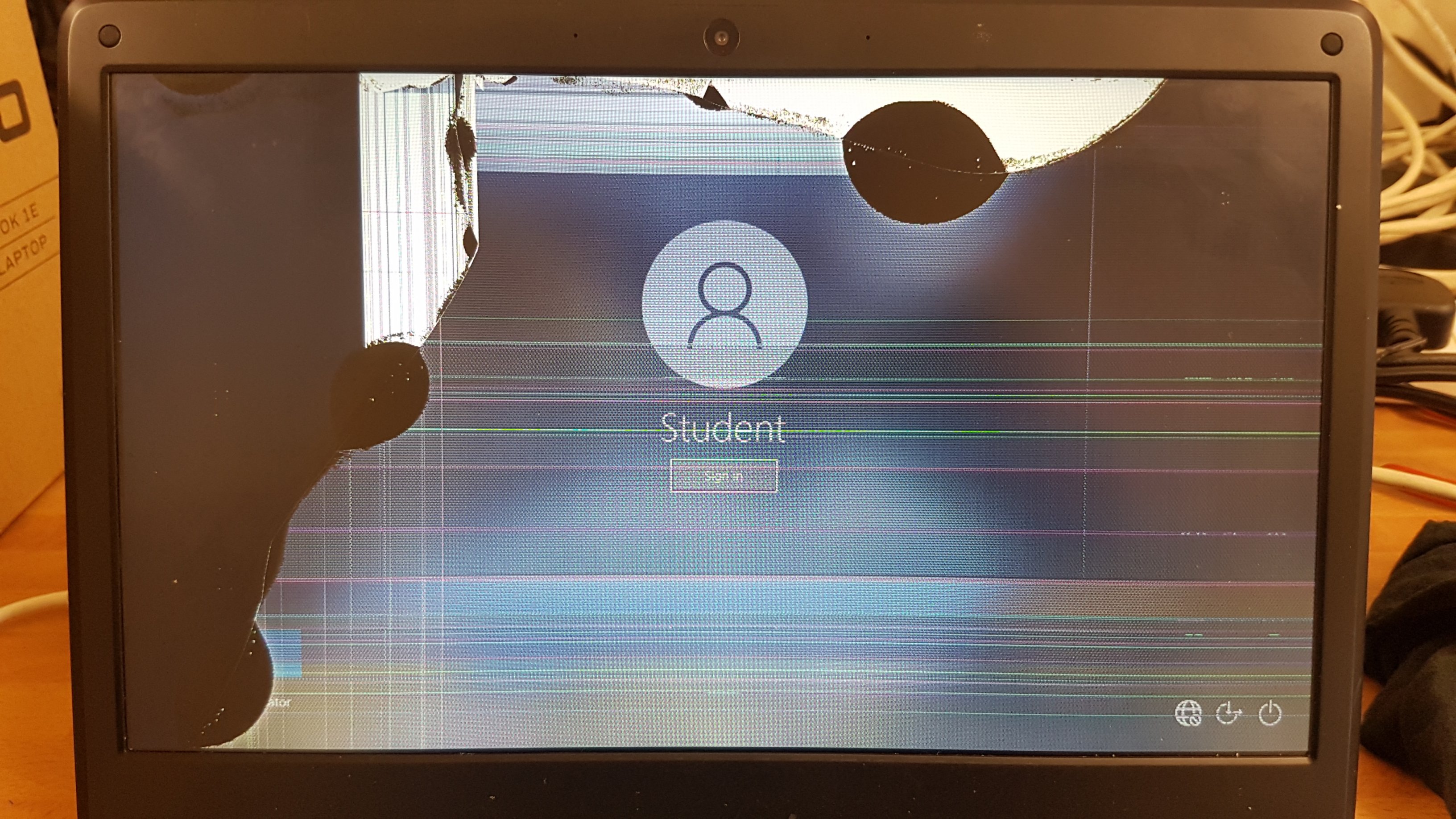
When reading this yesterday I was quite proud that we had not had one smashed screen yet.....but this morning one rolled in!

-
I can't remember if symptoms were exactly the same but we had an issue with 'delprof' as detailed here: http://www.edugeek.net/forums/windows-10/184796-1703-mdt-autologin-not-working.html#post1582279
-
Looks like this option is enabled by default in the newer Teams desktop client but the Teams desktop client installer is terrible and installs in the %localappdata% folder. Its supposed to update itself but as we have mandatory profiles the installer has to run each time user logs in and this installs from the Machine Wide Installer which is now out of date! Will have to update the machine wide installer on all computers or think of an alternative method to install the client.
-
Did you get anywhere with this. We are like you with Teams/Classes created manually and our staff/students are created from azure sync/connect so don't want to interfere with any of those. I can see an option to enable the two extra csv's required in the SDS and according to some things ive read you have to upload the others with just headers as you say.
-
I agree....that is the missing option.
-
Meeting chat moderation settings MC224359 | October 15 - We are updating the Meeting options to allow an organizer to manage participants ability to chat prior to, during and after a meeting.Key Points:Microsoft 365 Roadmap ID: 67175Timing: begin mid-November and expect to complete by the end of NovemberControl: Meeting Organizer https://admin.microsoft.com/AdminPortal/Home#/messagecenter?id=MC224359
-
Has anyone got a fix to enable the new Teams meeting experience on all users/workstations without them having to enable it themselves? I can't find anywhere you can set this to force enable this for all users. Thanks
-
Just got a notification from Microsoft this morning that this will be added to the meeting options by end of November. Can't find the email now but it was in the changes list emailed out this week
-
Hi, I am trying to set the SendOnBehalf of permission on a particular user on an onsite Exchange 2016 server so that they can SendOnBehalf of them. I can set it no problem via Exchange Admin Centre or Exchange Shell no problem. After an amount of time the permission is removed whichever method I use. I have set Full Access permissions and they remain - its just the SendOnBehalf of or SendAs permissions won't stick. I have tested adding SendOnBehalf and SendAs on another user and it works correctly and stays until I manually remove it. Reading around this would suggest that the user for the permissions won't stick are a member of a Protected Group but this is not the case. I don't believe they have been a member of a protected group either as the adminCount attribute was set to and I have amended this to 0 but something is still removing the permissions although the adminCount attribute remains on 0. Anyone with any ideas or where to look to see why the permissions are being reset? There was a KB on this but it seems to have gone now http://support.microsoft.com/?kbid=907434 Many thanks,
-
I have to be honest - I've no idea why I have the new key 'SMART Learning Suite License, 1-year' because I didn't purchase it but it must be from a purchase of a new board and it came with it.
-
Yeah, I tried the old keys first with no luck but then came across one that was longer and started with 'NC-' in Smart Admin Portal https://adminportal.smarttech.com for Smart Learning Suite Whilst it is expired it seems to activate the basic version. I must have got it with a new smartboard purchase?
-
Oh no...sorry it must need the key also as once I put this reg key in the nag went away.
-
This removed the Nag for us: [HKEY_LOCAL_MACHINE\SOFTWARE\WOW6432Node\SMART Technologies\Activation Wizard 2\Nag\notebook_14\global\modal] "disabled"="true" But we do have a license key for basic version (premium expired) installed also
-
Wow...I feel your pain. You could try and use the HP for education to trade in on kit of any age for £100 each unit. We cashed in for £200 per unit but that ended in January. We traded in 116 x Core i5 4GB RAM with SSDs and then bought more kit with the trade-in. Probably not far of the cost of the 'upgrades' your trust purchased for you.
-
SSD....you will see a huge improvement. As others said 4GB RAM is sufficient.
-
Yeah, it must just be the 2019-02 Cumulative update for all versions. Once we get it downloaded to the client from WSUS it seems to take up to an hour to install on an i5 laptop. Sits on preparing to install updates for ages. The stack update also came down from WSUS and went on first no problem.
-
Mine was working then I broke it by enabling drivers in Windows Updates (GPO). This actually breaks updates from WSUS! I switched it back and all working again. I think it was this one: Computer Configuration/Administrative Templates/Windows Components/Windows Update/Do not include drivers with Windows Updates Setting to Disabled breaks updates from WSUS Setting to Enabled or Not Configured fixes updates from WSUS.
-
2019-02 Cumulative Update for Windows 10 Version 1607 for x64-based Systems (KB4487026) kill my laptops. Its 1.3GB in size and when a classroom of laptops is switched on it fills the air with so much data from WSUS the laptops are useless. I have had to switch them on bit by bit and ensure the update(s) are downloaded before moving onto some more laptops. We have found that this particular update also take 'a while' to install. This must be the biggest update for a while!