AB_IT
-
Posts
305 -
Joined
-
Last visited
Content Type
Forums
News
20th
EduGeek EDIT Conference
Blogs
Everything posted by AB_IT
-

Can I have two RD Broker and RD Session Servers on the same network?
AB_IT replied to AB_IT's topic in Windows Server 2022
Thanks Steve! The session host is running Windows Server 2012R2 so I want to get rid of it really, it should have been gotten rid of a while ago to be honest but we only have User CALs for Server 2012 currently. RDS User CALS seem extremely expensive! -
Hey All, I might be overthinking and confusing things in my head because I don't think it will be an issue although I don't want to cause problems with our current setup. We currently have a server that is the Broker, A Licensing Server and a RDS Session Host. Currently our users login to this and use it as a desktop. We're slowly moving away from this model but there's still some apps like Sage which won't run very well over our slow Site-Site VPN connection so instead I'm looking to create a RemoteApps server on Windows for the few applications we need to run locally but the user will just think it's an icon on their desktop. There's also some applications we need to run on Mobile OS's via this also. Would it be okay to just setup this new Server 2022 VM as a RemoteApps server and install everything that comes with it for example Broker and Web Access without it effecting our current setup or is this going to cause a conflict along the way somewhere? Obviously I know eventually we'll have to buy RDS User CAL's for Server 2022, install the licenses on our current license server and connect the two but currently I just want to test it and get it to a point where it's ready. Thanks All
-
Forgive me but how on earth do I go about doing that? NGIX seems to be installed as part of the container, is this a reverse proxy and if so how do I get it setup to give an SSL cert?
-
Hey All, So before I used to have my nextcloud instance running on an Ubuntu Server which I utilised Let'sEncrypt service in order to obtain a Certificate for https. I have since moved my home server to using TrueNAS as it was all becoming quite a bit of work to keep maintained with seperate VM's etc... My issue currently is though, I've installed the Docker (Application) Nextcloud image on my TrueNas Scale Server. All seems to be working fine and I can browse to internally no problem. I've port forwarded the port but upon doing so when I browse to my No-IP.com DDNS domain that's setup I get a certificate error and it won't let me go any further - other docker applications work fine and allow me to proceed without needing a certificate. Obviously as it's a docker image and not just running Ubuntu server I can't use the same commands in order to assign the SSL certificate so I'm a bit stuck. I'm slowly learning Linux and know 'enough' to get me around but not tons so if anyone knows how to do this and wouldn't mind talking me through it I'd be really appreciative
-
I got it all working in the end but all it did was constantly throw up a BSOD on me. i think the server and drivers are just too old to run reliably on Win Server 2022. We've decided to decomission it. Thanks all for your help though
-
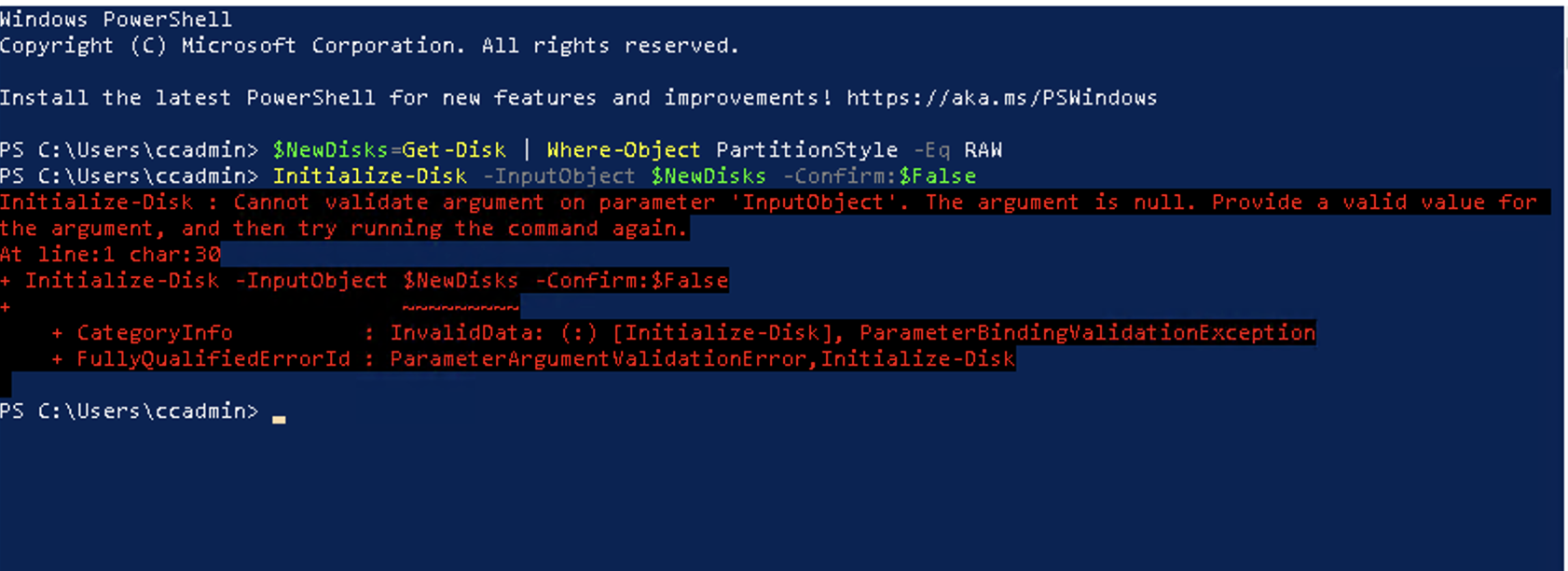
Thank you. That's how it looks so on DR1 the storage is showing as online but on DR2 it shows as offline. It's when I try to initialize the disk in order to be able to use it on Failover Cluster Manager is when I get the errors above. It all looks fine it's basically only when I try to initialize the disks. Any ideas?
-
Thanks Steve, I've done that and it all looks good in Disk Management. Only seeing one disk now on both hosts. Can't believe I was so stupid. I've now tried bringing the disks online in Disk Management but it just comes up with an 'Incorrect Function' error and I can't bring them online? Any ideas, giving m a right headache Edit: I somehow got them online on the one server. But now when I try to initialize the disc it gives me the same error 'Incorrect Function' from the Disk Manager and the following from PowerShell command

-
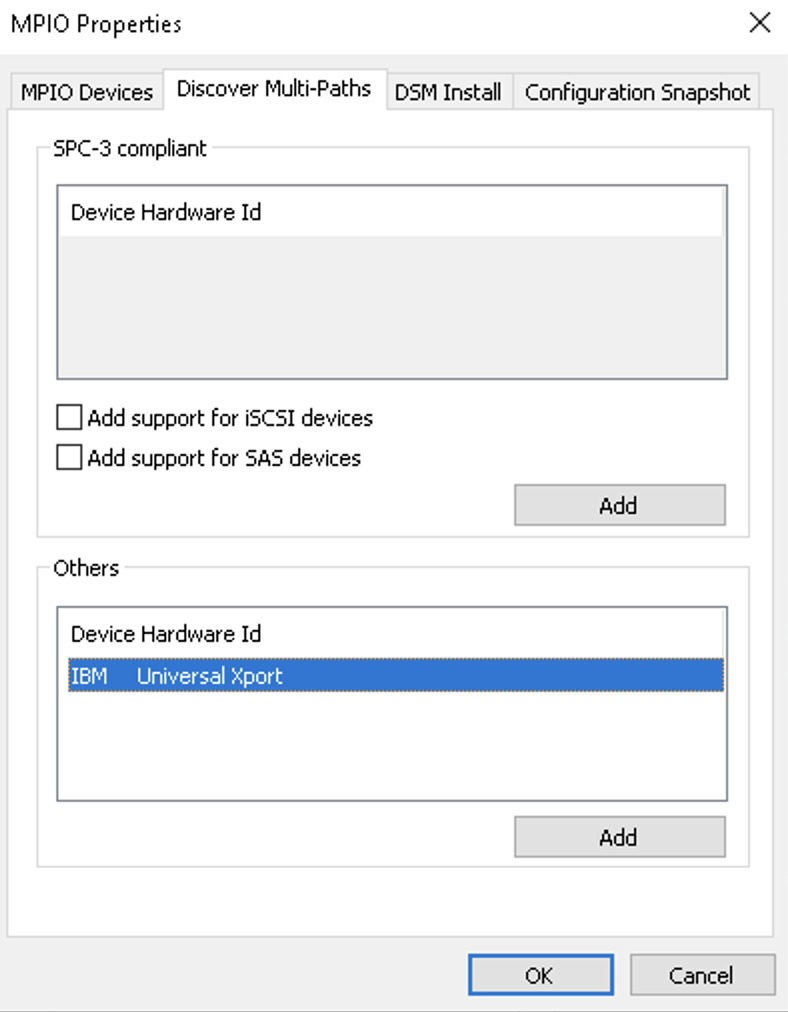
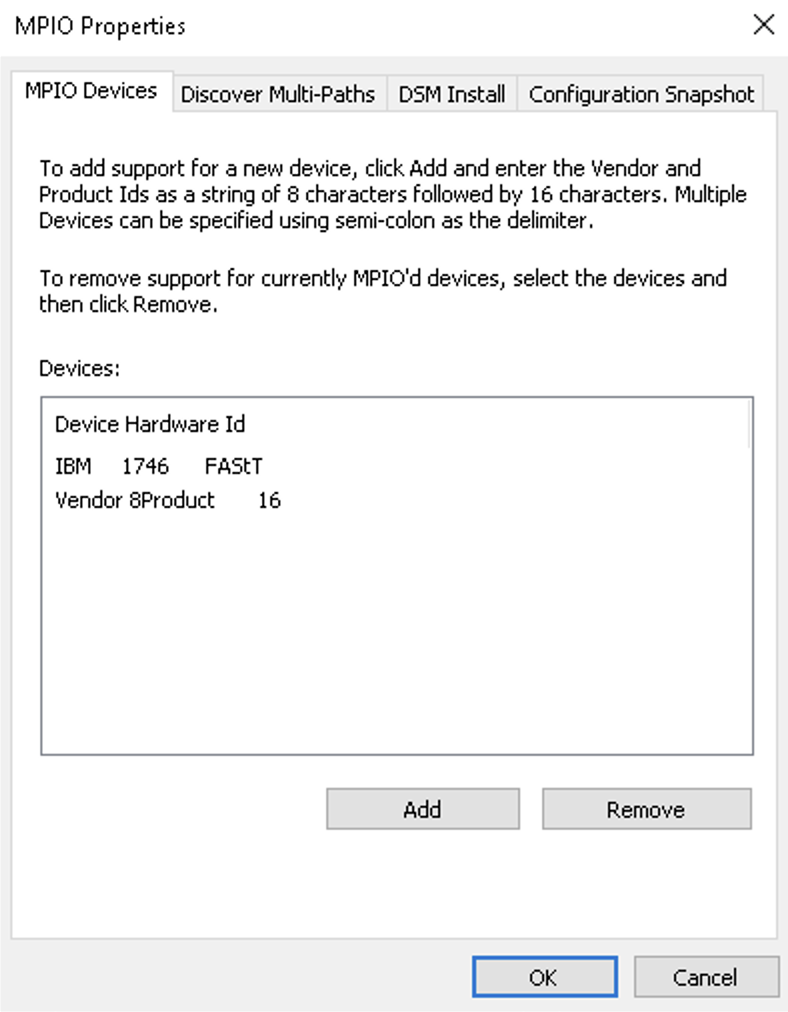
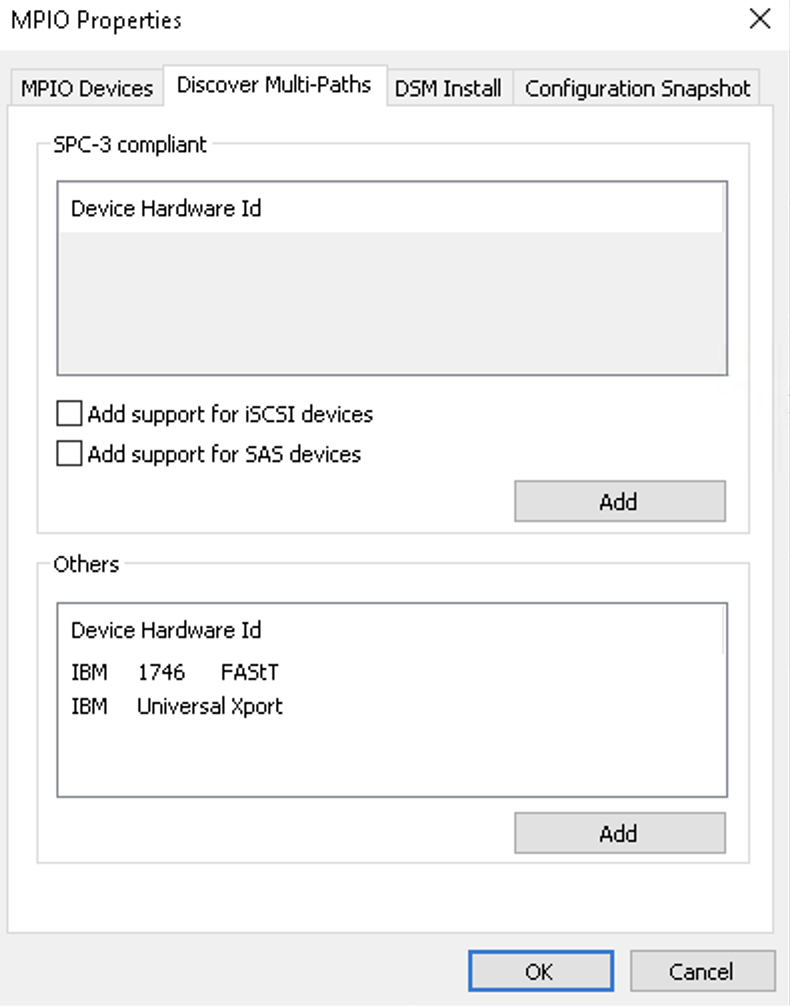
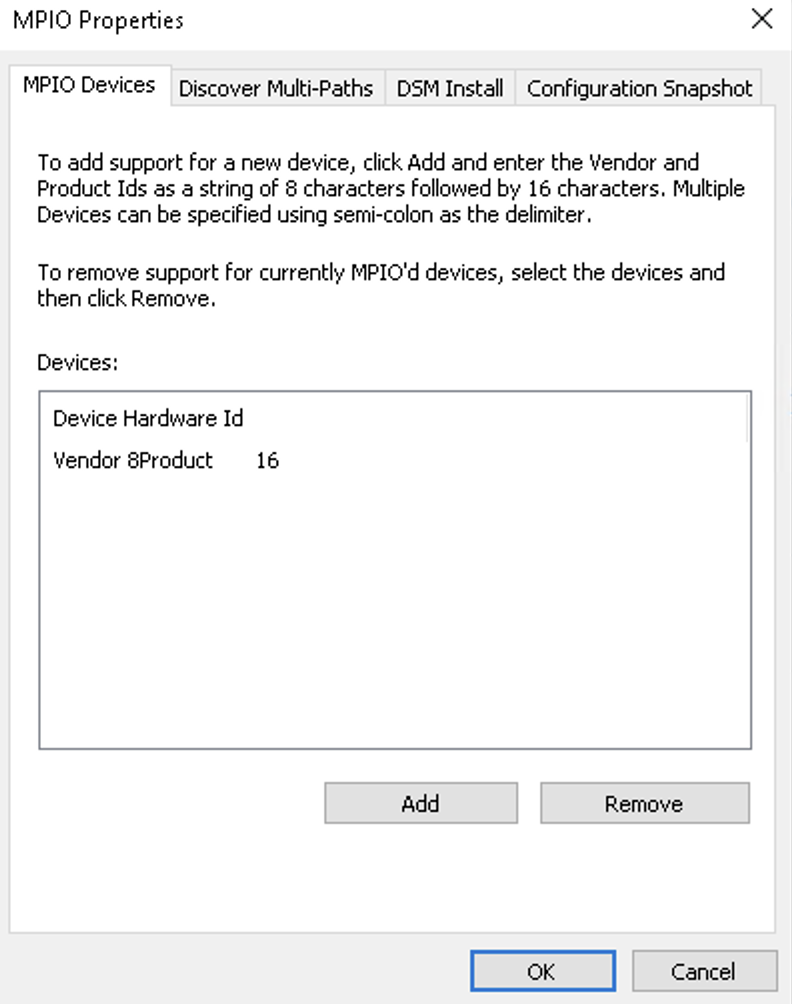
Hey, thank you for this. DR1 added the entries automatically as did DR2, they're both setup the same. I'm not sure how to manually add IBM 1746 to the entry, do you have any idea? I've read through those links - thanks for them but it doesn't seem to fix the issue.
-
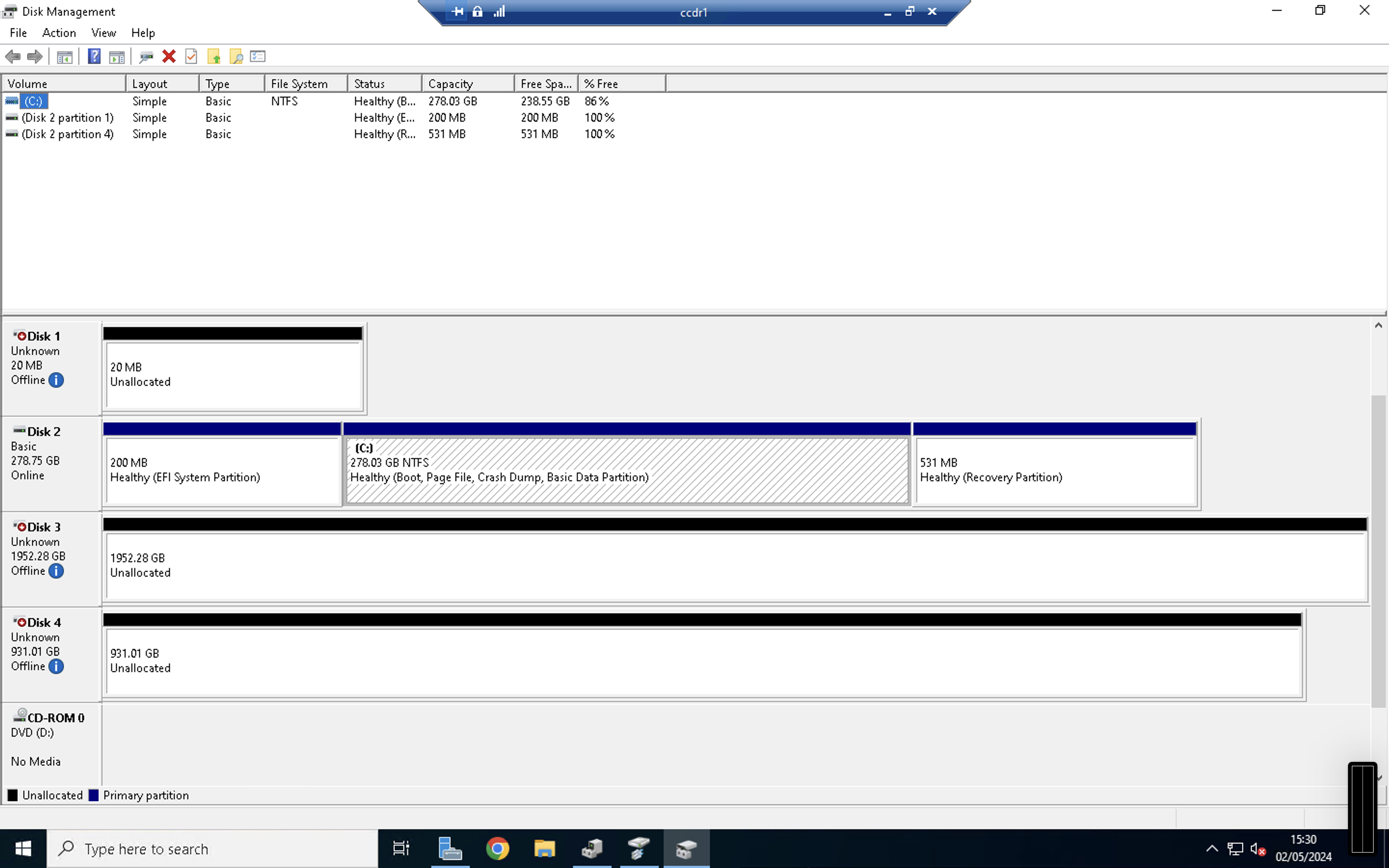
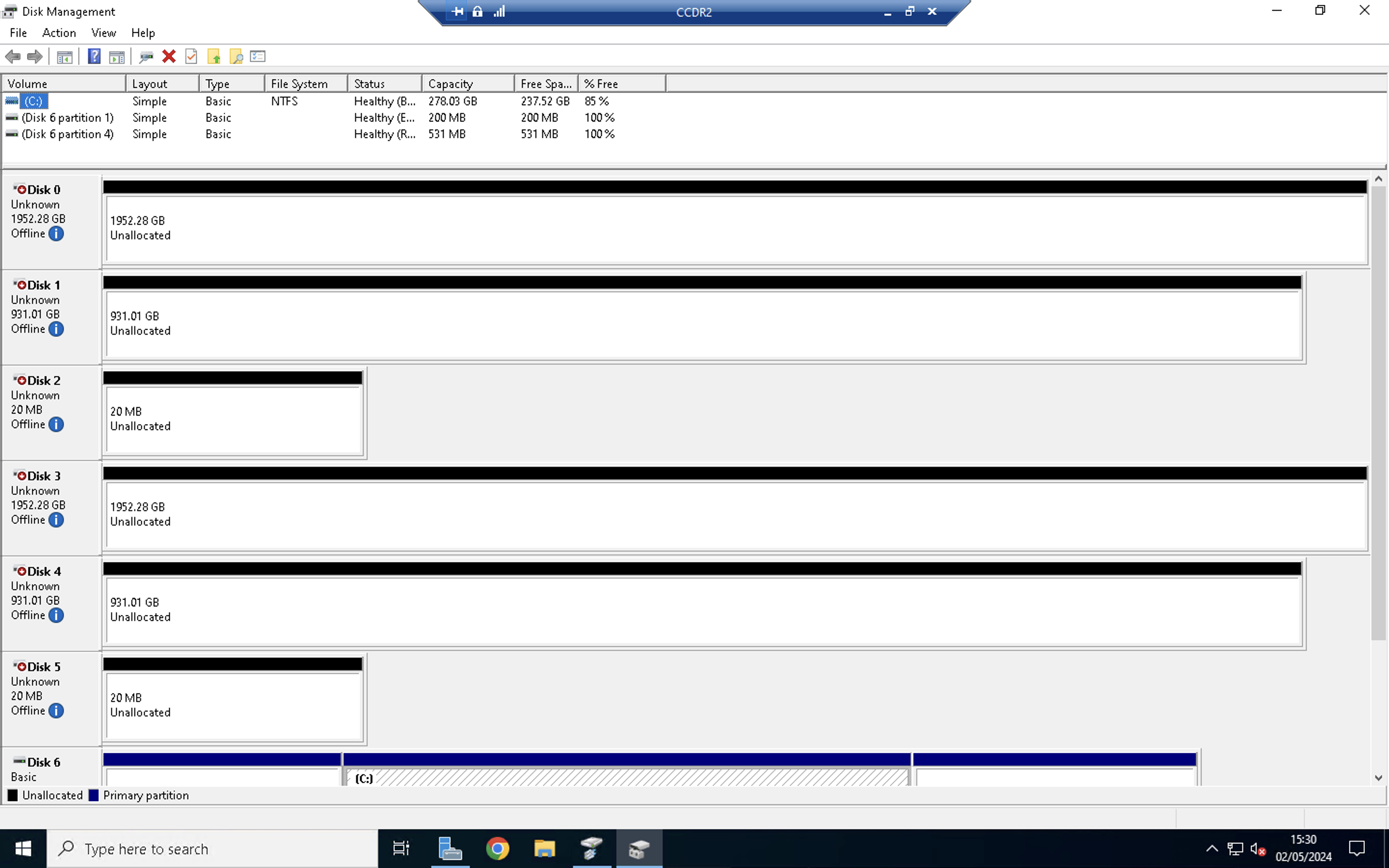
Hey All, Not sure what I'm doing wrong here but basically we have two older servers we've recently just wiped and put Windows Server 2022 on. We have connected the SAN back up to both servers and the SANs software is setup correctly. I've also used MPIO in order to share the storage between them both as it will be used as a failover cluster. However I'm running into an issue where DR1 seems fine and upon loading Disk Management shows I only have one Disk per array which is how I'd expect. Though the other server (setup the same) is showing 2 Disks per array which obviously don't exist if that makes sense. I'm not sure why DR2 is duplicating these in Disk Management. Is anyone able to shed some light on this or give me a hand. I've taken screenshots from the one that's working properly and the one that isn't. MPIO does look different but it's automatically setup so I can't change this to reflect the same on both... or maybe I can? They're connected via Fibre Channel. Thanks All DR1 (working) DR2 (showing two disks instead of 1)
-
Hey All, I have a 2020 Aprilia SR50 2T. Just as a bit of fun! I haven't used it since around September last year and it's just been under a cover. With Spring only around the corner I've been thinking about getting it out of storage again and starting to ride it. I disconnected the battery and it's been in storage on a trickle charger for the whole time so that should still be fine. Is there anything special I have to do before attempting to start it after this long? I was thinking about putting a squirt of 2T oil into spark plug hole and kicking it over a few times to hopefully coat the cylinder with some fresh oil before. Is this reccomended? Apart from that I wasn't going to do anything and just try and start it up with the old fuel and 2T oil in the tank? Any help is most appreciated
-
Printers freezing when inputting pin & accounting server error
AB_IT replied to AB_IT's topic in Enterprise Software
That would explain it, basically lowered ours to IKEv1 instead of v2 and AES-128 rather than 256. What did you have to do with your MTU out of curiosity? Ours is just set to default 1500. -
Printers freezing when inputting pin & accounting server error
AB_IT replied to AB_IT's topic in Enterprise Software
Thank you for your help @MatthewL I think I found the issue though. For some reason changing our VPN encryption type has fixed them which is strange. We do keep having these issues though whereby everytime a user send something to print we're getting error messages and a log off/log in tends to fix it but then it does the exact same thing. They're really generic errors as well and random, just says things like printer can't be found... even though it's listed in their printers. If you have any idea about this that would be a huge help. -
Printers freezing when inputting pin & accounting server error
AB_IT replied to AB_IT's topic in Enterprise Software
On the Sharp copiers it says address for application UI: https://192.168.91.14:9192/device-web/sharp-osa-n2/index and address for Web Service: https://192.168.91.14:9192/device-web/sharp-osa-n2/soap?name=Fairholme I've changed the IP but basically it's the IP for our printer server. -
Printers freezing when inputting pin & accounting server error
AB_IT replied to AB_IT's topic in Enterprise Software
That's the weird thing, our shared drive stays up and it's on the same server, it's literally just PaperCut but then a ping from the site and from head office never drops out not even when it happens. Latency can be a little weird sometimes with ping around 34ms constant and then on the odd occasion will increased to high numbers but then go back down again but I just put this down to it being an over the internet connection via the VPN. We use Sharp BP70C45 models although we thought maybe these where the issue so we swapped one out for a Sharp MX5070V and still shwoing the same symptoms. We're using Unifi's Gateway Pro this model to be exact, https://eu.store.ui.com/eu/en/collections/unifi-accessory-tech-hosting-and-gateways-large-scale/products/uxg-pro although we're also using some older models at 3 of our sites such as this guy https://www.4gon.co.uk/ubiquiti-unifi-security-gateway-router-usg-p-6271.html and this one https://www.4gon.co.uk/ubiquiti-unifi-security-gateway-pro-usgpro4-p-6735.html All of those are having the same issue, but at head office we have the latest one. I've just checked our Unifi Controller in security detections though the firewall doesn't show it's blocking any sort of connection. Thank you for taking time to help me. -
Hi All, I'm in a right pickle, I'm really hoping someone can help. Basically we have 10 sites all connecting back to our Head Office via IPSec VPN. All the printers across our sites seem to be having issues when connecting to the PaperCut server. They'll work OK for a time but then intemittently will freeze when someone inputs their pin or show "Cannot connect to accounting server" error. I have pinged the printers over the whole weekend from the PaperCut server and there's no drop outs, I've also tried the following to diagnose but nothing has helped: Added IP of server and printer into Allow List on our Firewall Set the port speed to 1Gbps on the switch and removed all port features Turned off the Windows Firewall on PaperCut Server Updated PaperCut to 23.0 Put a dumb TP Link switch inbetween the Printer and Switch Ensured latest Windows updates ran on print server Replaced one of our photocopiers with a whole different model I'm really running out of ideas, I don't know what's causing it. I've also changed VPN encryption settings to see if that would help but nope. I'm so stuck and our Printing support company doesn't happen to know what's going on either and it's causing mayhem. Anyone have any ideas?
-
Hi All, Bit confused with this one as have tried all sorts of solutions. I thought it was a PaperCut memory problem so increased the usable memory using this instruction set to 16GB but to no avail. https://www.papercut.com/kb/Main/IncreaseMaxMemoryUsage/ A lot of our staff seem to be unable to print. The client devices are deploying the printers via Group Policy Preferences and they're able to select and click print but they just get these generic errors when they click print and nothing happens. Logging them off, doing a gpupdate /force command will fix it temporarily as will restarting their computer or the server itself. The server has an overall RAM size of 32GB and it's not in trouble when looking at RAM usage etc...? Not sure where to go from here as I've tried everything I can, hoping one of you geniuses will have seen this before or know what to do? I've found some errors where it says couldn't find Papercut-Mono/ Colour and GP has failed as a result but the printers are always listed on the computer when the user logs in and I'm not sure how it's failing. I can ping the servers DNS name etc... so I'm not sure if it's related or not but thought I'd include all the errors I could find. I've attached screenshots of the errors. Thanks All!
-
Issue with new mobile phone devices on Unifi Wifi Enterprise Network
AB_IT replied to AB_IT's topic in Wireless Networks
Thanks all for your help There's just a few suggestions and I'm trying to work out what would be the easiest to do. If I turn down the signal stregnth on the 5Ghz network would this not effect other devices that all seem to be working fine, I don't want to break those? I was leaning more towards the suggestions of just creating a seperate SSID at 2.4Ghz (Keeping it on the same VLAN) but I read that it would effect performance too by creating another SSID. We already have two SSID's one for guest network and another for our main networks, will this cause much of a difference or noticable interference do you think or will it be fine? Thanks again all!! -
Issue with new mobile phone devices on Unifi Wifi Enterprise Network
AB_IT replied to AB_IT's topic in Wireless Networks
Thank you this is something I'll look into on the controller. I also just don't want to mess up the other devices. It seems that everything else is working fine so would you expect it to be a device issue? Thank you, I've had a pretty solid experience with Unifi kit, it's a lot cheaper and sure we don't have the same support as something like Cisco but majority of the times their Unifi Community is very helpful and most things we're able to resolve if there's problems. We have had proper Wifi surveys completed. The areas in which these devices are dropping out aren't as a result of interference, restarting these particular devices or turning the Wifi On/Off fixes the issue indefinetley so I don't think it's an interference problem they just seem to stick to one Access Point. -
Hey All, Hoping I can pick some of your brains with regards to this. The company I work at has purchased quite a lot of these mobile phones called "Cubot Kingkong 5" which run Android. The OS has been modified by the company we purchased them off to be locked down for staff so they can access settings and will only open one app which is our Care software. We also have a full Unifi Network in each of our premises, all cabled with Cat6 and new Wifi6 Unifi Access Points installed to cover the entirety of the business. We haven't had reports of issues with any other devices but basically it seems that when moving around one of our sites with these devices the Wifi drops off in places it doesn't drop off with something like an iPhone. It also seems that they are acting as a 'sticky client' and won't hop from one access point to the next very easily. You can walk down a corridor and be right next to another access point but it'll still show the Wifi signal as low on the device. Viewing the Unifi Controller also shows that the device will still be connected to a much further away access point. Restarting the devices seems to temporarily fix this and force them to reconnect to a closer access point as does turning the Wifi on the device off and on but staff can't do this due to the lockdowns imposed on them. I'm not sure what I can do about this, like I say all other devices I test it with are fine and move from AP to AP like you'd expect them too. We've tried speaking with the company we purchased them off but after a few months of waiting for a response we where told "The other businesses we work for use Mesh Wifi Networks to counteract the issue" but of course I'd argue having individually wired AP's perform better than a small Mesh Wifi solution so now I don't have a lot of confidence in their networking knowledge. I'm just wondering what you guys think based on the above, is it just an issue with these devices because the Wifi card in them is cheap and theres no real workaround or can something be tried? I've tried so far turning off Band Steering and forcing 5Ghz on our Unifi Controller but it made minimal difference. Any help or advice would be most appreciated
-
Completed the in-place upgrade an it all seemed to just keep working Thanks all, surprised it went so smoothly *touches wood* saved me a lot of work!
-
Amazing, I'll give an in-place upgrade a try and of course take a snapshot before doing so. This will save me tons of work. Just one last thing, is it okay to just upgrade to 2019 and then straight after if all goes well upgrade to 2022? Appreciate the help guys thank you all!!
-
I'm not sure, is this how it works? If it is that'd make my life a lot easier. I read something about that you should avoid in-place upgrades though, have you had good experience with them before? On the O365 VLSC where we buy the licenses from it doesn't give me the 2019 ISO either?
-
Thank you Can you do an in place upgrade from Server 2012r2 to Server 2022? I looked and everywhere basically said had to go to 2019 first but then I'll have to buy those licenses as well.
-
Hey All, Just looking for an easier way to do this and as our file server is a VM I was thinking about creating a new VM Server and then just attaching the Virtual Hard Drives with things like our Shared Data on and then redirecting group policy to the new server. Will this work and will all the folder permissions stay the same? I'd hope so but wasn't sure if these are saved in the OS rather than on the folder itself? Secondly it also currently hosts RDS VHDX Profiles and I obviously don't want to break these, is it as simple as redirecting the RDS configuration to the new place and it'll just reuse those current profiles? Thank you everyone
-
We have an Ubuntu server running it at my place. Super easy to install. I'm still a linux noob though so periodically run "sudo apt-get update" "sudo apt-get upgrade" Is this the same command as your "sudo apt dist-upgrade" as I've noticed the Unifi controller isn't upgrading when I do it via my method?