tdh1987
-
Posts
445 -
Joined
Content Type
Forums
News
20th
EduGeek EDIT Conference
Blogs
Everything posted by tdh1987
-
 Hi I have been asked if it possible to set two homepages in internet explorer so that when a student launches internet explorer it starts one homepage in one tab and another in the next tab. I'm thinking it isn't possible, what do you guys think? Thanks for reading. Tom.
 -
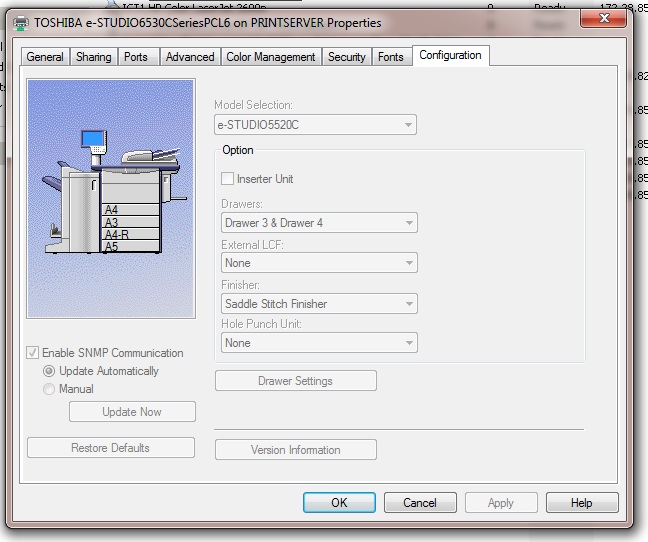
I'm having trouble with the advanced print properties on a printer in reprographics. When I'm logged in as the domain administrator the configuration tab is active and options can be edited, however when I'm logged in as a user in the domain admin group they are not. I want the lady in reprographics to be able to edit these options. I've had a look in the security options and there is nothing obvious that I'm missing. Can anyone help? Tom

-
Thanks for your help, it seemed waiting for the replication to happen has done the trick.
-
I'm using a totally different computer, I haven't tried it on her laptop yet. Tom
-
Hi. I was having issues with a users account so I simply created a new account for them, copied the users files to their new home directory and all is well, however I am struggling transfering the mailbox. I've disconnected the users mailbox, cleaned the mailbox database (so it appears int he 'disconnected mailbox pane'), reconnected the mailbox to the new user account and then forced active directory replication. However in order for the user to connect to their mailbox they have to type their old username/password rather than their new username/password. Can somebody please tell me where I'm going wrong Thanks Tom
-
??
-
I can't see it :/
-
I've had a look in there but I can't find anything about offline files :S
-
Thanks for replying. I can't seem to find the group policy setting that your describing? It's Server 2008 R2 we're using.
-
Thank you I will give this a try.
-
As far as I'm aware it is disabled in group policy on the domain controllers, could you be a bit more specific as to how to do it? We have 1 Aerohive AP is each class room.
-
I'm pulling my hair out here so I'm hoping you guys can help. We have several suites of Student laptops that are running windows 7 pro and are joined to our school domain. We have 5 year groups, year 07 through to year 11. Each user has a home folder within their respective parent year group folder. The problem I'm having is that when 30 laptops login in at the same time (at the beginning of the lesson) many of the laptops won't have access to their home folders. If I log the student off, log back in as a network administrator, nagivate to the File server, open the year 07 (or 08,09,10,11 folder depending what year group the student is in) I notice that the parent folder is 'working offline' yet the other parent folders are as they should be. If I turn it back online and ask the student to log back in then everything works again. Now I believe the folder parent folder is switching offline because the the network slows right down (as it would if you've got 30 nodes connected to a single access point). Can I simply just disable offline files full stop because it just simply isn't needed for the students. I know my explanation might not be the best but this problem is driving me insane as I'm having to run around switching peoples folder back online. Thanks for reading. Tom.