Jobos
-
Posts
2,386 -
Joined
-
Last visited
About Jobos

-
 When opening Google admin there is a notice that says Is this something new? Most of the apps we don't use anyway but there are a few apps we do use, namely CS First, Chrome Web Store, Google Play and Google Maps. Being a primary I'm not too sure how to go forward with this. Any advice?
 -
Yes, I used scripting in the end and initial testing shows it works, just need to tweak the code a little bit more.
-
tv show BBC's Ski Sunday to end after nearly 50 years
Jobos replied to 6Foot2's topic in TV & Movies
That’s a shame as used to enjoy watching skiing on a Sunday afternoon -
When using Google Forms is there a way to have the contents of the form emailed instead of just the notification when the form is submitted? Thanks.
-
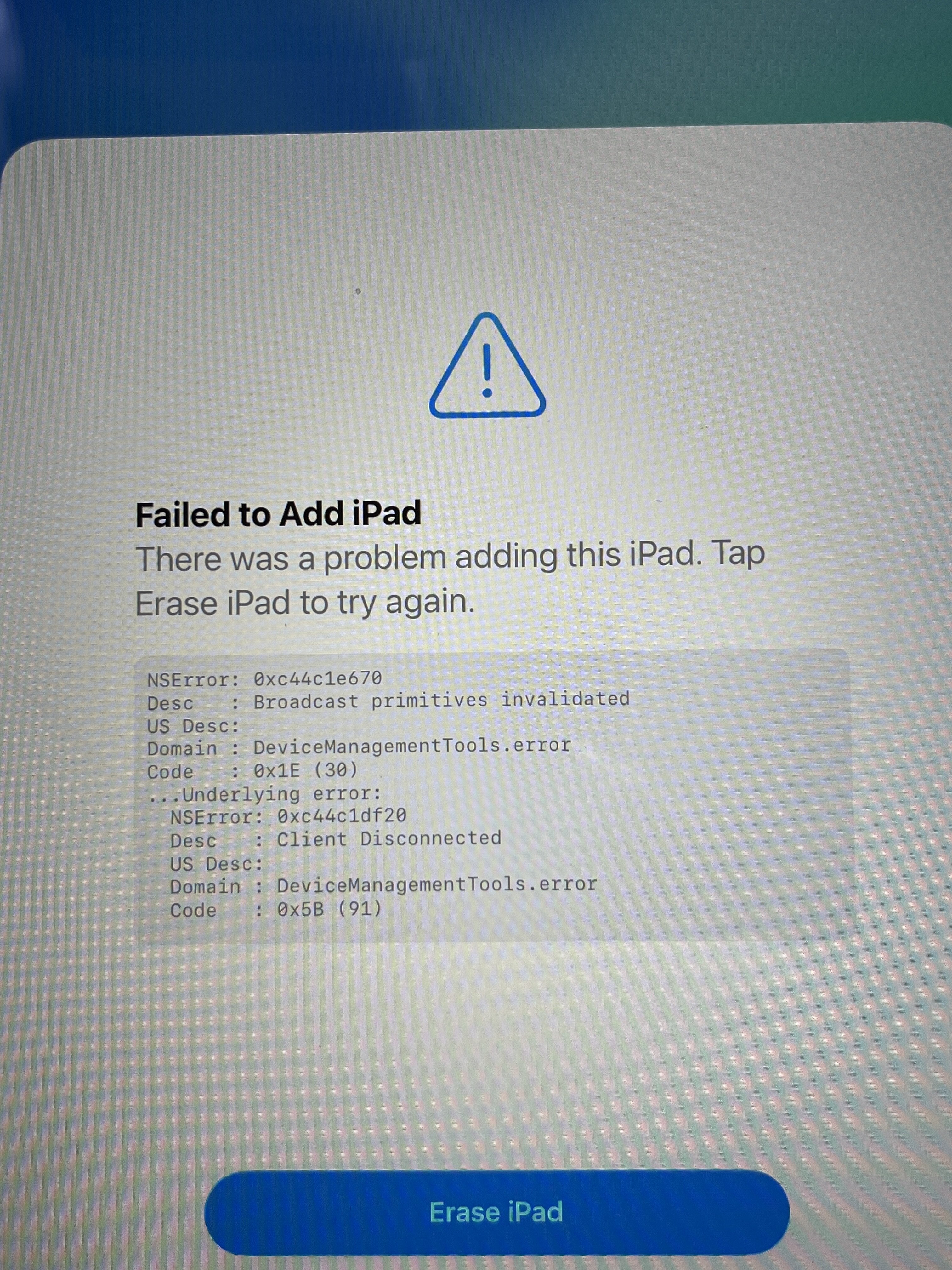
I was using an iPhone but in the end I tried adding the iPad with a code and that worked.
-
I’m trying to add an iPad to our Apple School Manager using the Apple Configurator app. I get the iPad to the WiFi screen and scan the spinning dots with the configurator app. It looks like it’s working but the iPad gets stuck on adding iPad screen which it stays on for a few minutes before giving the error. Any ideas?

-
Seems the KMS server just needed activating again using cscript C:\Windows\System32\slmgr.vbs /act F3D89BBF-C0EC-47CE-A8FA-E5A5F97E447F
-
Our KMS has stopped activating clients and I'm unsure why. We have a mix of Office 2021 LTSC and Office 2024 LTSC but as the older versions pass my desk they get upgraded to 2024. This morning I upgraded another laptop to 2024 LTSC and it didn't activate so on checking the KMS server both Office 2021 and Office 2024 have the status of unlicenced. Windows server and Office 2019 is still licenced though. What would cause this and what is the best way forward to resolve it? Thanks.
-
[ms office - o365] A1 / Exchange Online P1 Retention Policy Options
Jobos replied to DavR's topic in Office Software
Any update on this and we are in the same boat? -
We were all ready to move then the head changed his mind and wanted to stay with SIMS after all.
-
We only have 1 Inventry screen here but I block it from connecting to TeamViewer at the firewall unless I need Inventry support to remote in as like others have said their support has dropped since they outsourced.
-
We backup each night to NAS and have 2 USB encrypted drives that get taken offside and alternately 1 gets bought in for a weekly backup
-
Yes you are correct. The address needed to change passwords is id.sims.co.uk which is nowhere near the address used for registers home.sims.co.uk/registers I’ve added the register address to the teacher start menu but looks like I’m going to need the change password address too. It wouldn’t be so bad if there was I link from the register page but there isn’t. Interesting to hear you can use 365 integrated auth with NG as wasn’t aware of that and a good call. It would have saved a lot of headaches if I had known.
-
M365 Email Retention Policy
Jobos replied to newpersn's topic in Data Protection & Information Handling
Just so I understand and I'll use @newpersn post above as an example, I make polices for 2 year delete and the other for 3 year delete. I then apply said polices against the mailbox but because we only have A1 licencing I have to apply the policies manually for each mailbox. Does that sound right? -
I was asked yesterday how a user could change their SIMS Connected password and this should be a simple thing to do but I'm unable to find anything about changing password. Yes I could use the 'manage your users' section in the launcher and change it for them but staff need to do this for themselves. Am I looking in the wrong place?