Good day fine people.
i have been working on the bane of my life which is deployed printers disappearing and i notice the following seemingly separate issue, or is it?:
three to four comand promts pop up and hang on start up with the message blocked by administrator.
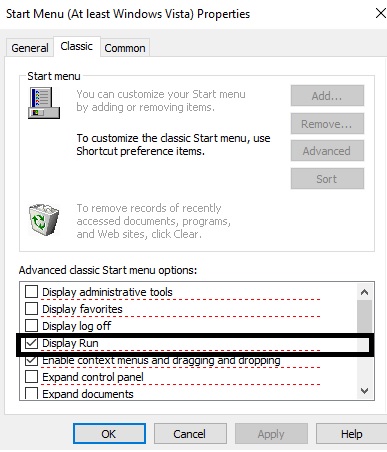
i have identified the offending GPO as
user setting/ preferences /start menu/don't display run
this is set as part of my student lock down policy to prevent users from using the run command. when set, this is blocking some part of windows start up including log on scripts. when not set i see the prompts flash up and go away working normally.
i noticed this while trying to apply a gpupdate as a log on script to fix my disappearing printers, but this log on script just becomes the fourth blocked window. i feel these issues are related.
i have tried other methods of blocking scripts or the command promt itslef however the run box gives students too much access.
i have also tried to identify what these windows are in order to find a way to add an exception for them. they are nothing i have deployed as i can see them in an OU outside of my policies. they appear to be part of windows or an application. they launch from the system 32 folder, you have to manually close each window before continuing.
is anyone anyone else seeing this, id be glad to hear from you.