-
Posts
91 -
Joined
-
Last visited
About speckledegg

-

Google NotebookLM - Slides Deck Missing
speckledegg replied to speckledegg's topic in Cloud Services
Sorry for the delay getting back on this - crazy week! Ooh that seems to have worked, thank you so much! 😄 -
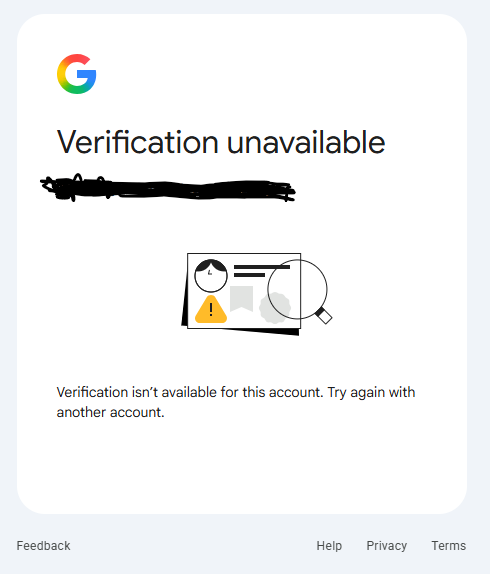
Our SLT have just started using Google NotebookLM via the LGFL who syncs us into Google Workspace via USO AutoUpdate. We should have a slides deck when working on a notebook but this seems to be missing for us. From looking online, you need to verify your age for this to appear potentially. However, when trying to do this with my own LGFL synced Google Workspace account that is also missing the slides deck, I hit the attached error message. Has anyone had the same issue and found a way to make the slides deck appear for them? LGFL isn't a 100% sure on what the cause could be - I'm feeling it will be more Google related and just something we need to fiddle with in Google Workspace itself potentially. Thanks in advance!

-
Microsoft Entra - MFA Registration Campaign
speckledegg replied to speckledegg's topic in Cloud Services
Thanks for sharing your setup, that's really helpful - we may try and replicate something similar here in that case. I feel like I'm overthinking it all to be honest 😅 -
Good afternoon, I'm trying to set up MFA for our O365 users so staff are forced to register an authentication method before they can log on in at any location (in school or at home). To enforce this, I'm trying to use a combination of conditional access and a separate registration campaign (https://learn.microsoft.com/en-us/entra/identity/authentication/how-to-mfa-registration-campaign). The conditional access part is working as expected when testing and enforces MFA to users who are already registered when logging on and disables the prompts when logging on at school via our public IP address added to trusted locations. However....the registration campaign will not trigger no matter what I try. From reading up on it, others have said we may need a Microsoft Entra ID P2 license as opposed to P1 and the campaign will silently fail otherwise. Ultimately, I want to set it up so staff are forced to set up MFA when logging in at school or working from home - at the moment, if they only log on at school, they will never be prompted to set up MFA on their account due to the trusted location added to conditional access which prevents them from being nagged for extra security whilst at school. There are ways we can work around it, but it will just be less automated in future - so just seeing if anyone else has experienced similar 🤔
-
CPOMS and Medical Tracker Integration
speckledegg replied to speckledegg's topic in Educational Software
Think I've figured it out....on step 2 you need to give the Medical Tracker role under the Medical Tracker category in the main CPOMS admin area the 'View Students', 'View Incidents' and 'Add Incidents' permissions. With the part after this about setting role permissions in the main CPOMS admin area under Admin > Categories > Medical Tracker, this part does not seem to be relevant as it looks like the Medical Tracker user role itself is hidden from this area and is hard-coded as part of the new integration. As long as the new CPOMS category for Medical Tracker is permissioned so that the Medical Tracker role which appears under it has the 'View Students', 'View Incidents' and 'Add Incidents' permissions, Medical Tracker should only use its own integration to actually send the data to CPOMS and users will not need the role added to them as mentioned in step 3. -
Hi all, Any CPOMS/Medical Tracker schools out there? We've got to step 2 of the guide and have set the User Group Permissions up but can't work out if there should be an actual user group for Medical Tracker appearing for us under Admin > Roles on CPOMS (nothing there currently even when switching to 'All buildings'), or if we're actually required to create a Medical Tracker role for users to be permissioned under, or if we just permission our existing user groups...it's all a bit cryptic: https://help.medicaltracker.co.uk/en/cpoms-integration Has anyone tried this yet? I should be full admin for both systems so should be able to manage everything - I have contacted support for both parties, but don't think they understand where I'm coming from with it. Feels like I'm missing something...
-
Chromebooks - Disabling screen rotation
speckledegg replied to speckledegg's topic in ChromeOS & Cloud Based OS
No worries, thanks for letting me know - I'm surprised it's not an option. With defaulting the rotation at startup, how would we go about changing that? At least it will give us some control back! -
Good morning, Is there a way to disable screen rotation on Chromebooks via Google Workspace Admin Console? We have some children who have worked out the keyboard combinations to mess with the orientation and can't see any obvious policies to disable it. Thanks in advance 🙂
-
Good Morning, As the title says, has anyone found a way to push Quick Assist to their PC's via Group Policy? Just looking to see if we can push it via GPO to make it easier to manage the deployment of it to our users going forward 😃
-
Promethean Registration Portal - Sign In Issues
speckledegg replied to speckledegg's topic in Promethean Direct Support
Much appreciated and glad it's not just us! [emoji28] -
Has anyone else been greeted with the below error message when trying to log onto the Promethean Registration portal (https://registration.prometheanworld.com) to register their new interactive panel warranties recently? I've tested logging in under the schools I support with their known working login details and get greeted with the same error page each time - is there a wider problem?
-
Google Chrome Extensions - First Time Run Pages
speckledegg replied to speckledegg's topic in How do you do....it?
We're also hoping to deploy some Chromebooks at some point too if we can get PTA funding for them, so would be curious to know if anyone has managed the same on that platform too. -
Morning All, On our Windows 10 based child laptops we currently set it via GPO so that after X amount of days their user profiles are deleted in order to keep the storage levels down. However, this makes Chrome load as it would when first logging onto a machine and all the extensions we have applied to this via the Google GPOs install but all open some kind of welcome tab which throws all the younger children who are expecting to see tabs for Google search and our school intranet page. Is there a GPO or reg edit out there that we can use to suppress all of those welcome tabs from deployed extensions all in one go without this needing to be supported by each extension developer separately? I feel this is not possible from searching around, but just curious to see if anyone has found a natty way around it? Thanks in advance! [emoji2]
-
Shortcut icon files no longer read from SYSVOL
speckledegg replied to Koldov's topic in Windows Server 2019
We had this problem recently and followed the steps on this post to fix: https://learn.microsoft.com/en-us/answers/questions/1162419/shortcut-icon-blank-when-ico-file-is-located-on-a -
Good Afternoon, Just trying to get hold of some more CodeBugs for our school, but it looks like they've been completely discontinued everywhere I've looked....is there a new version coming out imminently, or are they just no more? We use the 'original' ones in our coding lessons as seen here: https://www.codebug.org.uk/whatiscodebug/ Thanks in advance!