David44
-
Posts
460 -
Joined
-
Last visited
Content Type
Forums
News
20th
EduGeek EDIT Conference
Blogs
Everything posted by David44
-
How do you enforce one single login? At the moment it seems that users can and are actually encouraged by the wording and UX design from ParentPay to create a SIMS ID username and password when most users probably already have a Microsoft or Google account that they would be better off using for SSO.
-
It seems strange that schools are still being migrated to SIMS Connected, against their will I assume. I thought that Parent Pay were now migrating schools to SIMS Next Gen against their will instead. Does that mean there are, or will be, some schools out there running SIMS Connected and SIMS Next Gen? That must be a nightmare for the users.
-
Will support tickets be initially responded to by AI?
-
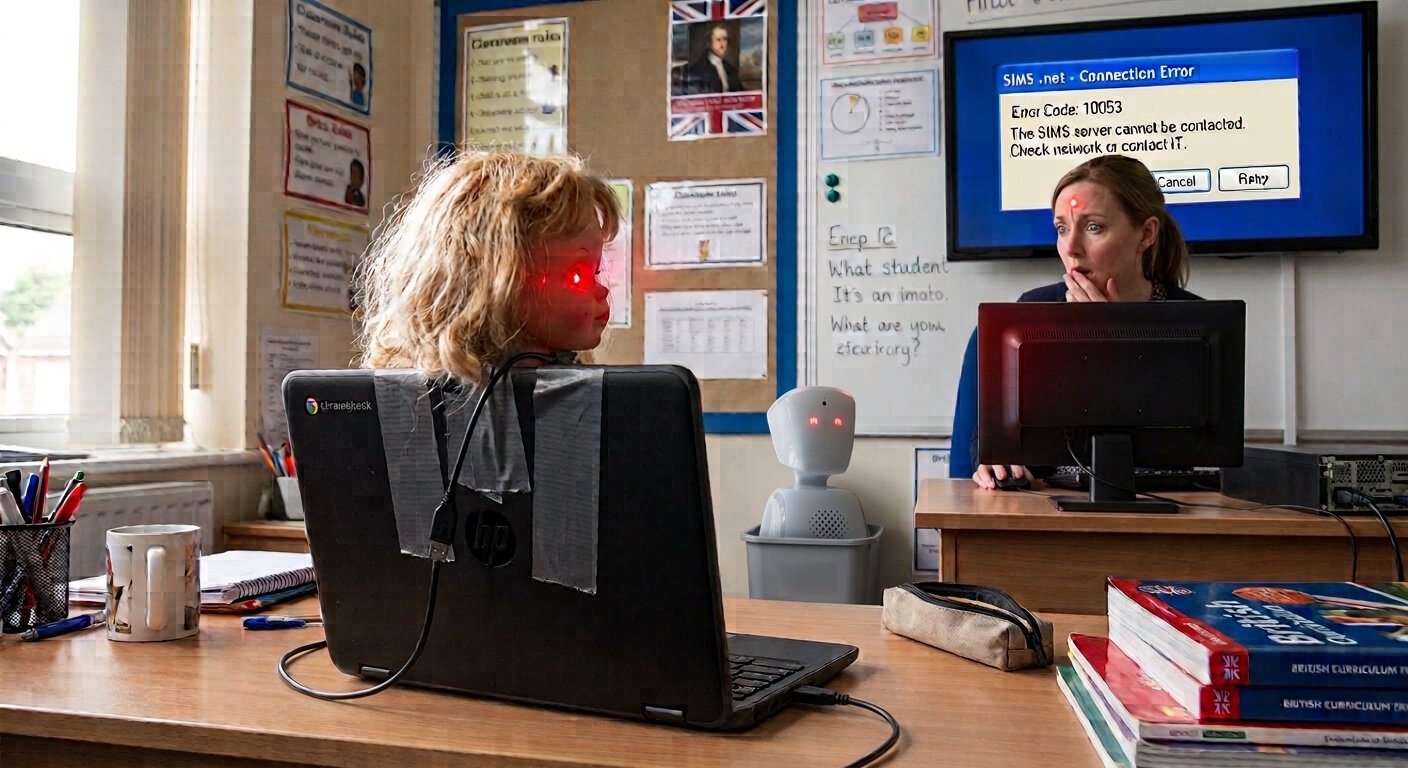
You could vibe code something similar to run as a Kiosk app on a Chromebook. Stick a Girl's World head on the top and add some colour changing USB lights and you've got an AV1 at a fraction of the cost. Something like this...

-
SIMS Next Gen and SIMS Connected are two different products. You should clarify which one you are referring to. We use neither here, only SIMS 7 (another product), so I can't help you with the question, other than to say rephrase/clarify it.
-
We have a number of students who have an 'Eligible for Free Meals' entry in SIMS. The FSM Category is 'Targeted FSM' and we have recently added a new entry for 'Expanded FSM' for many students. The Targeted FSM entry might have an end date of $date and the Expanded FSM might have a start date of $date + 1 day. There is apparently a bug in the Validate Membership procedure that sees these two entries, sees that the end date of one is consecutive with the start date of another and tries to merge them. Apparently patch 31462 resolves this. We haven't run Validate Membership but we are still seeing this issues, seemingly randomly, affecting a few students at a time. We ran patch 31462 last night but we are still getting new cases today. Is anyone else seeing this? It's possible you wouldn't notice, we only noticed because our Data Manager ran a report to check, saw some records that needed updating and when she run the report again saw some different records that needed updating.
-
Did the member of staff leave and then return to the school? We tend to get this issue when they have been here before, a PGCE student first maybe and then returned as a full teacher later on. The 'solution' seems to be to set a username and password (I bash the keyboard, I make sure the username is just a random string rather than a sensible one), save the record, go back in to the record and then choose their AD record again for a trusted login. Failing that, and I have only had to do this twice, I have chosen a different AD account (my test user), saved the record, closed the record and then opened it and selected the correct AD record again.
-
Captain Disillusion did a video on this 11 years ago, except it wasn't a person, it was a car and it wasn't disappearing it was appearing. I think the principle is the same though.
-
Any other new platform would have gone through an internal process to decide if it was the right product for the school. This is being forced on schools in an incomplete form that would never have passed that process.
-
If you can get to this page... https://inventry.world/settings/integrations, click on the cog and can see an install button, that will download the latest MSI. I installed that, asked them if we were now on a supported version and they said we were. The communication is terrible. I can't work out if it is incompetence or they are just trying to get schools to sign a new "Cloud Agreement" which they claim is required to 'upgrade to the cloud version'. I pasted the email they sent to our Business Manager at the top of this thread. We didn't sign a new agreement.
-
I'm not sure a publicly owned school data sync tool would be such a terrible thing.
-
We will be using Google for SSO. Correct me if I am wrong but I can't see that ParentPay have released the App ID that we will need to grant access to the relevant scopes for SSO yet. We should be okay as we allow staff users to use SSO with anything that only requires the basic data needed for Sign in with Google so unless ParentPay have requested more than an email address in their app, it should just work. It would be nice to know though since if you asked Parent Pay, they would probably say that SSO have been available for years but we all saw what a ham fisted way they implemented their previous attempt. Hopefully they have got it right this time but with a lack of useful information coming from Parent Pay, that's all I have, hope.
-
Those instructions are just for linking a Google or Microsoft account to an existing SIMS ID account, something that has been possible to do for a while (and Facebook, Apple and Twitter at one time IIRC). I don't think we have an account manager and I haven't seen any instructions on how to set it up yet. I suspect all schools will move to the new SSO sign in page at the same time since we all share the same sign in page, the system doesn't know what school you are from until you have signed in. The KB seems to be an advert for SSO rather than containing any useful information at the moment.
-
Has anyone managed to use SSO with SIMS Next Gen yet? We haven't rolled SIMS Next Gen out to staff yet and it would be good to go straight to SSO rather than the old SIMS ID system. Most of the documentation seems to just be singing the praises of SSO as if Parent Pay have just discovered it or invented it but there doesn't seem to be anything about how to enable it.
-
Anyone else have InVentry fail at the most basic function and not include new staff starters today? I'm pretty sure this fails whenever new staff start, they are never on InVentry until their second day, but obviously it is a lot more noticeable at the start of term with a lot of new staff starting.
-
After going backwards and forwards with various "people" (or AI, it's difficult to tell) at InVentry via email where they insisted that we had to 'upgrade to the cloud version' and allow their support to access our SIMS server (they refused to say why, so that set alarm bells off) and them doing anything other than answering my simple "Are we using a currently supported version?", it turns out that we weren't using a supported version and simply needed to upgrade the sync tool, which is confusingly called "SIMS Installer" and seems to show no version number other than when you go to uninstall it, to the latest version. There was no downtime, there was no remote connection from InVentry there was no 'upgrade to the cloud version' - There is no cloud version. Imagine how much easier it would be if the email had simply said we needed to download the latest version of SIMS Installer and gave a link. I can't decide what is worse, the InVentry software or their support.
-
We have received this email out of the blue from InVentry a few days ago Anyone else had this? I assume the 'SIMS InVentry Connector' is actually the 'InVentry Cloud SIMS Client Service' that we have running on one of our servers. We have only had InVentry for just over a year so why we have the legacy version of anything isn't clear. That is the extent of their email, no links to more information, no introduction to what 'the Cloud version of InVentry' actually is, nothing. And these people expect us to let them on to our SIMS server?
-
Group Policy if using Windows. Google Workspace policy settings if you are using Google and users are signing in to Chrome. If you go to chrome://policy/ in Chrome, search for NewTabPageLocation, you can see what, if anything, is applying the policy. There are details on the policy here... https://chromeenterprise.google/policies/?policy=NewTabPageLocation
- 1 reply
-
- 1
-

-
Interesting, what is the from address? I assumed each admin could sign up to receive or not receive the email alerts themselves.
-
Has anyone who has turned off SIMS Service Manager or even just SIMS Data Exchange Service within it received an email alert from SIMS Next Gen to tell you that syncing has stopped? You can check if you are subscribed to email alerts here... https://www.home.sims.co.uk/home/systemstatus None of our admins are receiving any kind of alert from SIMS Next Gen when we stop SIMS Data Exchange Service.
-
We monitor the Windows Service 'SIMS Services Manager' too but that won't help if the SIMS Service 'SIMS Data Exchange Service' stops running for example. Since it's a closed system, the only way to monitor SIMS Services is via the option that ParentPay gives us, which doesn't seem to be working, for us anyway. Has anyone ever got an alert from SIMS Next Gen to say that data syncing has failed?
-
I wonder if a fellow SIMS Next Gen admin can check something for me. If your sync between SIMS 7 and SIMS Next Gen fails, do you receive an email alert? As an admin, you can see the status and enable email alerts here... https://www.home.sims.co.uk/home/systemstatus I wonder if anyone who has emails enabled and has had the sync fail (or purposely turned off SIMS Data Exchange Service in SIMS Service Manager) had actually received an email alert. We had SIMS Data Exchange Service disabled all weekend and although the status on the page changed, neither myself or a colleague received an email alert. I also just disabled it for a few minutes this morning, still no email alert. Do the email alerts work for anyone?
-
We've also had an issue where InVentry support have made things worse, or caused an issue that didn't previously exist. The terminals were reporting some kind of network issue. I never do any troubleshooting with the InVentry terminals other than to restart them when there is an issue, it's not my job to hide the faults with this system from SLT, so I raised a ticket with InVentry, they connected in and resolved whatever the issue was but for some reason they also messed up the display of the buttons in InVentry, creating two Staff buttons on one terminal, changing the colour and typeface of the text on one of the buttons so it couldn't be read on another, removing the name of the school on the third. One of the four was fine, so I updated the ticket, told them that they should all be put back to how they were before they fixed the unrelated network issue and that one of the terminals was correct if they needed a reference to work from. They connected in several times, making InVentry unavailable while they did so and just seemed completely unable to reverse the changes they had made. The ticket has been escalated to second line support and it is still open. It's a terrible company to deal with, both because of the underlying product being of poor quality and the support staff not seeming to know how to handle such a product.
-
It's come to my attention that whenever the InVentry terminals are restarted, TeamViewer opens and displays both pieces of information required for anyone to gain a remote connection to the terminal (or Windows 10 PC to describe it more accurately). This is on full display for the whole 40 or so seconds it takes for InVentry to start after Windows has loaded. We have four terminals and this seems to be the case for all of them. Do other schools see the same? I have reported it to InVentry but the reply just explained what TeamViewer is and then one line about the actual issue. I don't know what "physical access is avoided" means and I don't know that they have actually done anything as this still happens. Today, it was worse because InVentry was displaying a badly written error message about it running 'the wrong version'. This message had a simple close button which when it was pressed, closed InVentry and displayed the Windows 10 desktop complete with TeamViewer open and displaying the remote connection details. No need for a potential attacker to even restart the PC now!
-
I have got access to that spreadsheet ("NextGen-SIMS-Permissions_v13.xlsx") but there is no group that allows users just to see timetables, there are groups that allow users to see timetables plus some other things. Adding a user to one of those groups will give them access to the other things which they may or may not already have access to. I want to avoid giving people additional permissions just so they can see timetables that they could already see in SIMS 7. I am just not sure of the best way to do that yet. I don't think it's possible, so my thinking now is that I will need to come up with something for SLT along the lines of "User X had access to A,B and C in SIMS 7. For them to use SIMS Next Gen we will be forced to give them access to A,B,C,D and E. Please authorise this change. GDPR? No, never heard of it."