gglidden
-
Posts
3 -
Joined
-
Last visited
About gglidden

-
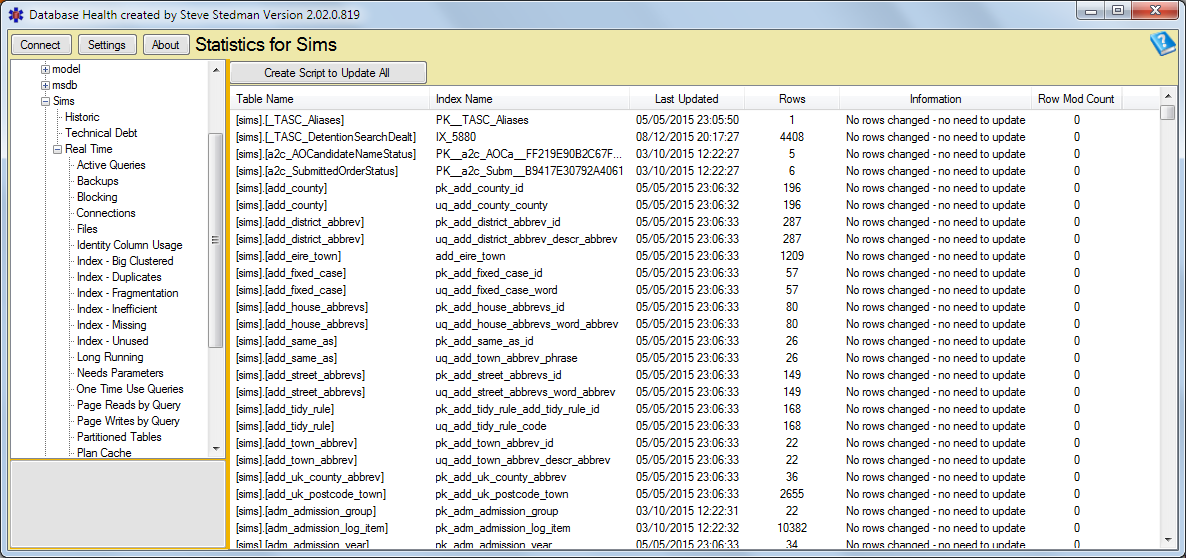
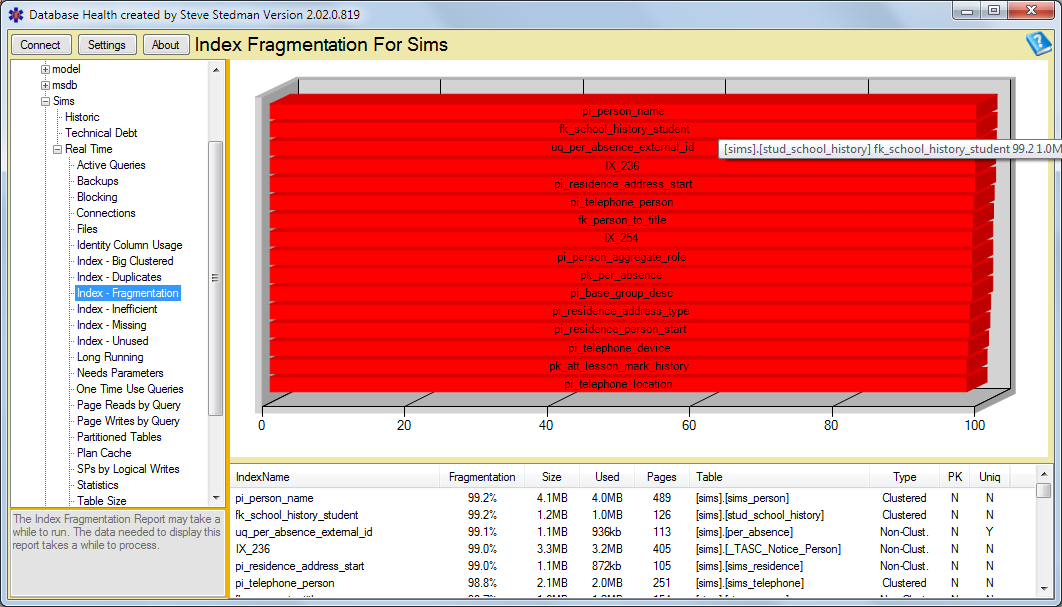
Hi. This is more of a give back post, in that I've come across a useful tool that I've used in working on SIMS/PARS performance issues that may be of use to the Edugeek community. Not sure if it has been mentioned before, not a regular on the website. The software is called Database Health Monitor, available at - Database Health Monitor. I regularly use it to look at the state of SIMS indexes and statistics as part of the performance monitoring tasks. Just as a tool to look at your server and what it's doing is useful in itself, but as the attached screenshots show, useful in looking at stats and reindexing. One very useful tool is the Quick Scan Report, which pointed me to setting up multiple tempdb database files to help general SIMS performance and balancing out the work queues - see Quick Scan Report - TempDB only has a single data file - Database Health Monitor. I'm using this tool to come up with a routine SIMS database maintenance task list for technical staff here to use - along the lines of backups OK and tested, LDB file size, statistics re-run, top 10 indexes redone, etc. Note the tool is free and I've not been paid anything to endorse this tool or have any personal dealings with the company. As every, be careful using any SQL Server database tool and I don't accept any liabilities for mis-use, etc. etc. Glenn.

-
We are running slow here at the moment as well, have been for about the last 10 days. A colleague has noted KB109255 appearing on the Capita Support site on 17 Feb which he's going to do out of hours to see if it had any impact. Looks like the usual reindex and statistics update work. We have a 32GB server. When we first noticed a slowdown, SQL Server was at 29GB so I've limited that to 20GB but the issue is back. Note however we have still seen it slow using 15GB. Interestingly when the server was hard at it, running SIMS on the server started complaining about it being an old version, after a reboot it was fine. I am also noticing using the free Idera SQL Check tool (https://www.idera.com/) that it shows some processes with issues from the FMS clients we have on, so I'm going to get them to log off to see if performance improves. Might be worth checking in your case. As ever, we've done some SIMS and INSIGHT upgrades as well in the past few days so we are at a bit of a loss as to where the issue is. Update: Not an FMS issue; got the two users off and performance did not improve.
-
We didn't receive any notification through school either. I notice it's not on the twitter feed either, which is a shame as it's an ideal method to get these notices out.