
Dos_Box
-
Posts
18,490 -
Joined
Content Type
Forums
News
20th
EduGeek EDIT Conference
Blogs
Everything posted by Dos_Box
-
I can tell how bad it is at the sharp end by how quite the first day back is in the forums. So far I think we are at a heightened alert state!
-
We hope you have all had a good summer (c'mon, the weather was great-ish!) and, even though, for many of you, the kids won't be starting back until tomorrow, all your hard work over the summer has paid off and not had you running around this morning. You know where to come for sympathy and HobNobs! *And why, after a miserable bank holiday weekend, is it lovely today!
-
It's a 2012 MacBook Pro, so no native AI acceleration. We are currently talking to a hardware manufacture about a webinar to talk about integrated AI chipsets and hopefully we'll get that sorted out very soon. It should prove quite informative. And yes, the laptop does ramp up it's fan when I'm running a task!
-
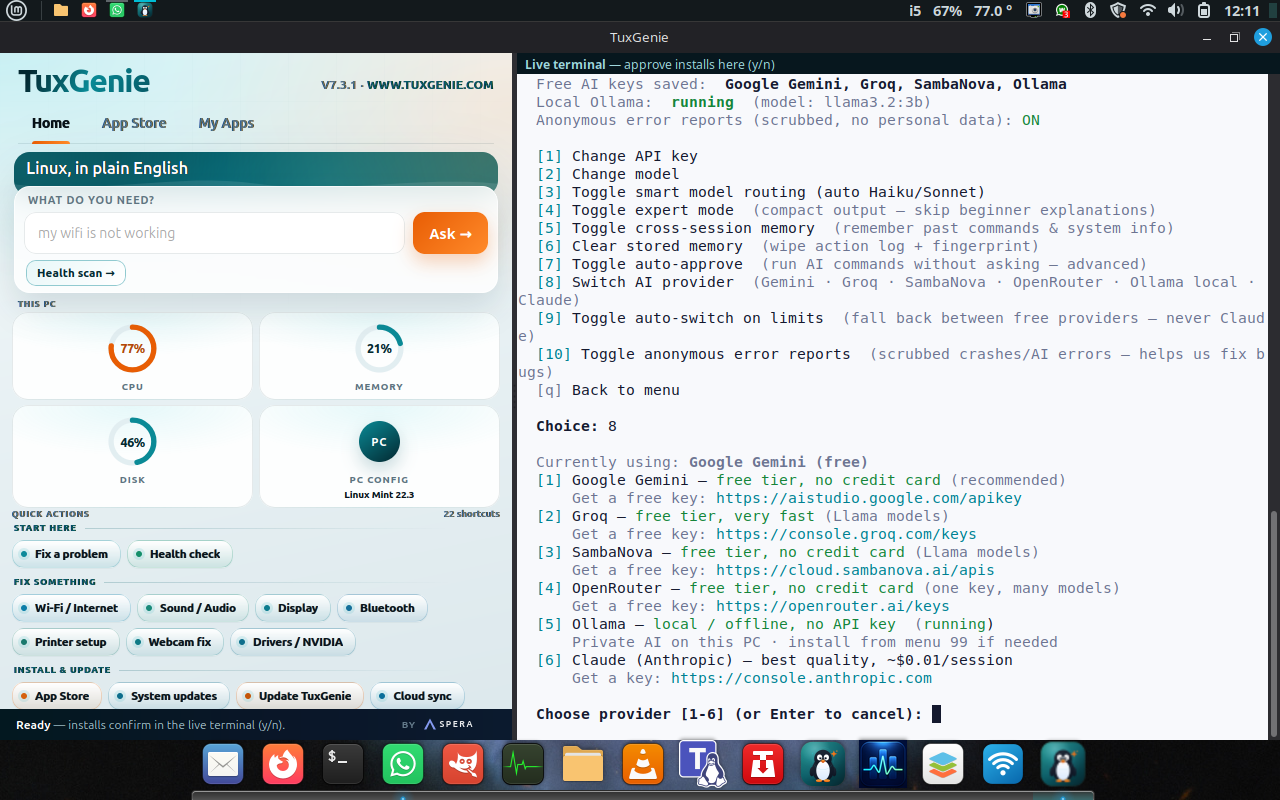
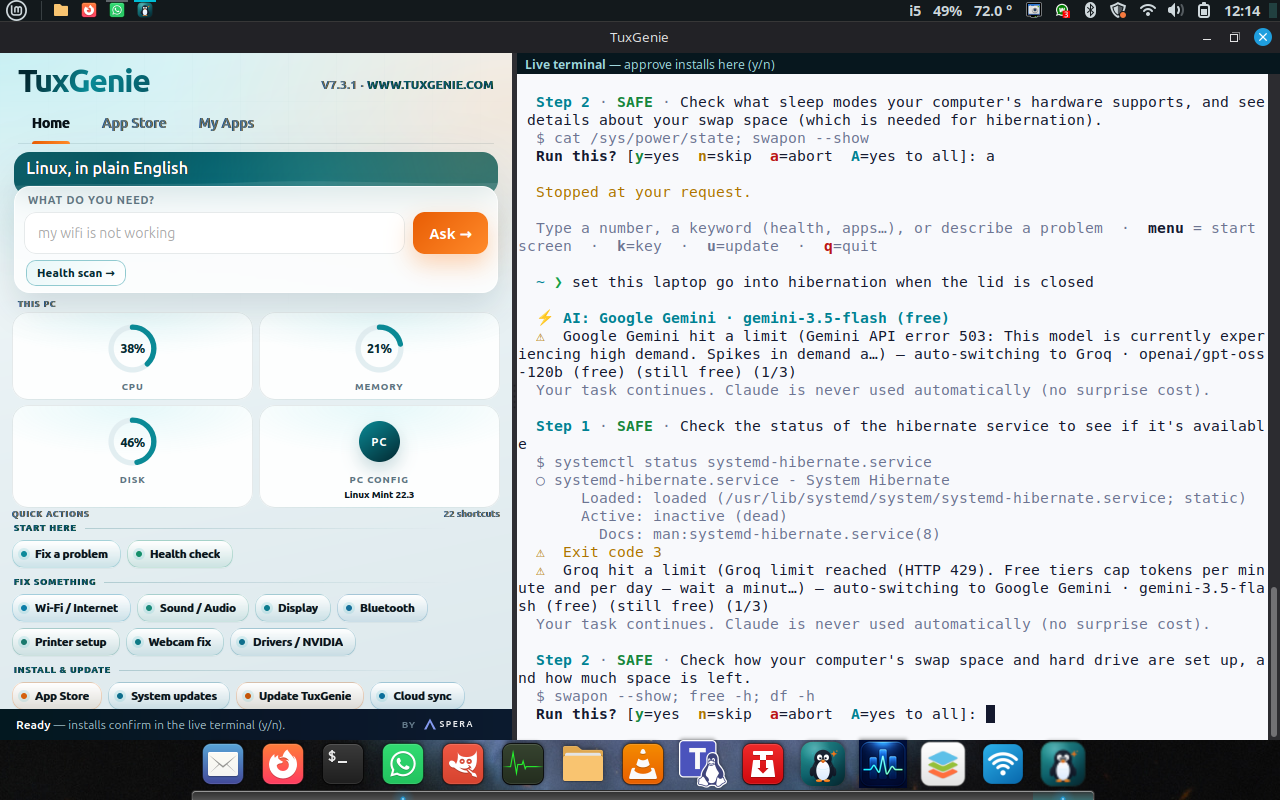
I had thought about putting this into General Chat as it may wander slightly, and tip over into other areas, but seeing as the core of it is about AI, then this is probably the best place to put it. As some of you may have seen, I've been playing with Linux Mint on an old MacBook Pro and it's been quiet a surprise, it's fast, stable and very usable. In fact, I've been using it as my home laptop fr a couple of weeks now and haven't seen the need to fie up my much more modern work laptop for general stuff. As many of you know, Linux can be quite a pain to get it to do exactly what you want it to do without quite a bit of digging, terminal tying and swearing (often because your particular machine may have a piece of hardware that doesn't play nice with your chosen distro). Because of this, I thought I'd try out an AI Assistant, to help with the more mundane configurations of the laptop. I found TuxGenie and got it up and running. A quick TLDR for those of you who have never played with this. An AI assistant can help you with more of the mundane daily tasks on your computer, many of them are specialised, focussing on specific areas such as productivity, systems management etc. I'm using TuxGenie for managing my laptop. The way it works is that it plugs into various AI systems such as Google Gemini, Claude and a mix of other free\paid for AI via API keys you have to submit to it. If one AI is either under high demand, or you have run out of free tokens, it can trip over to an available one. This is where 'issues' start to appear. Not in the operation of the assistant, but more that all the free ones I'm using run out of tokens very quickly indeed, even for simple tasks. My current one is to get it to put the MacBook into hibernation when the screen is closed. To start this process I simply asked it to 'Enable hibernation when the lid is closed', which is approximately a 4 step process. From this prompt it goes to find out how this is done, and then does it for you (before you panic, you do have to manually authorise each step (which is explained to you) and put in your password when required). But after a few steps, it basically runs out of tokens for all of the 3 AI's I have it using. And don't even think of using them once the US has gone to work at 1pm GMT. It will simply grumble that they are too busy. I'm temped to get a Claude AI subscription for a month to really try it out. Anyway, I'm rambling a bit, but do need to ask if any of you are using an AI assistant for any system tasks, and if so, which ones (it would be helpful to possibly find better ones), especially ones that can get around demand spikes and token issues. I can see Microsoft releasing one in the future to help (or even more scary, replace) sysadmins. Which could be great if you are doing complex tasks such as platform migrations and upgrades, but I don't think I could trust one for some time yet, as systems have far to many unique variables, and I think we've all been caught out in the past when a supposedly non-related process or program refuses to play nice with what you are trying to do. *It still didn't complete the task, so it's off to the terminal I think.

-

Tim Curry: The Rocky Horror Picture Show star dies at 80
Dos_Box replied to 6Foot2's topic in General Chat
It really has been a bad two days for genuine talent loss. In tribute: -
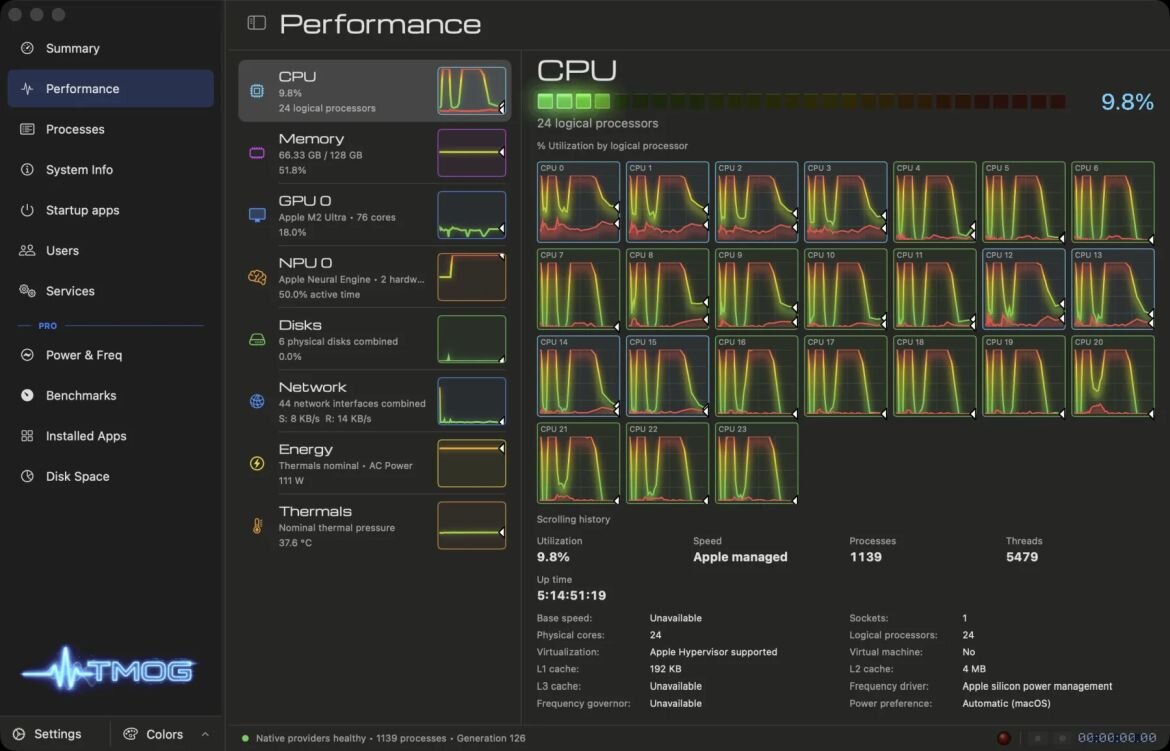
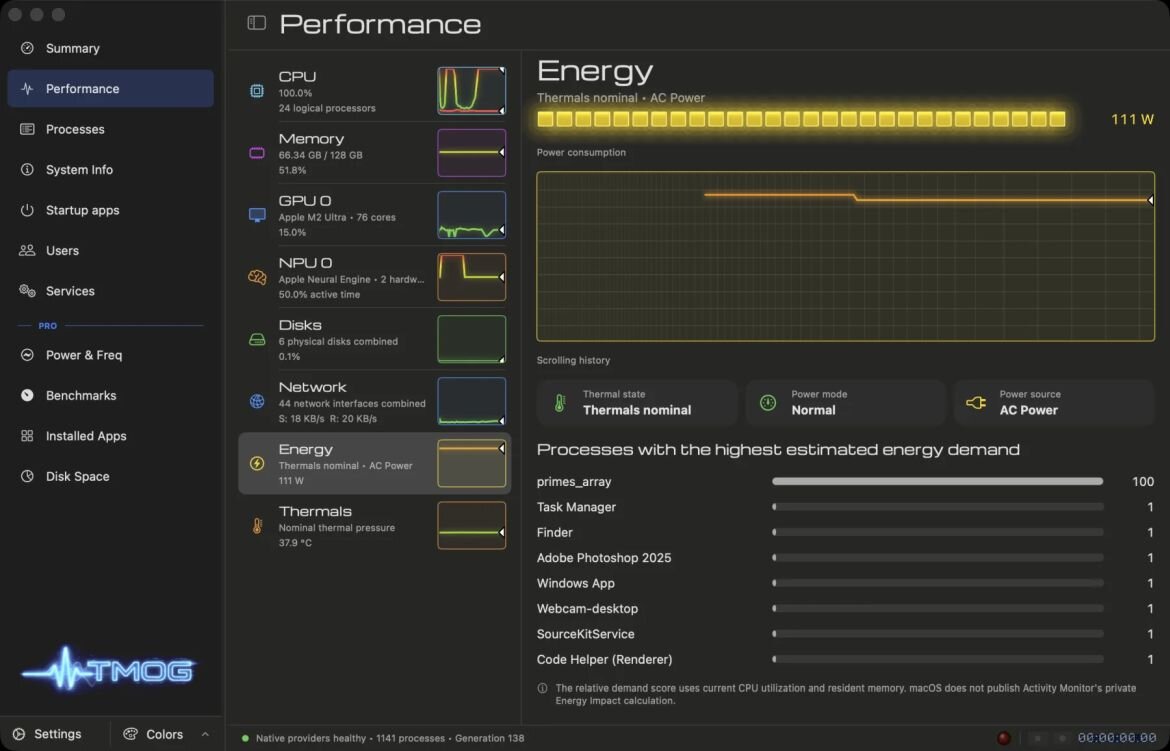
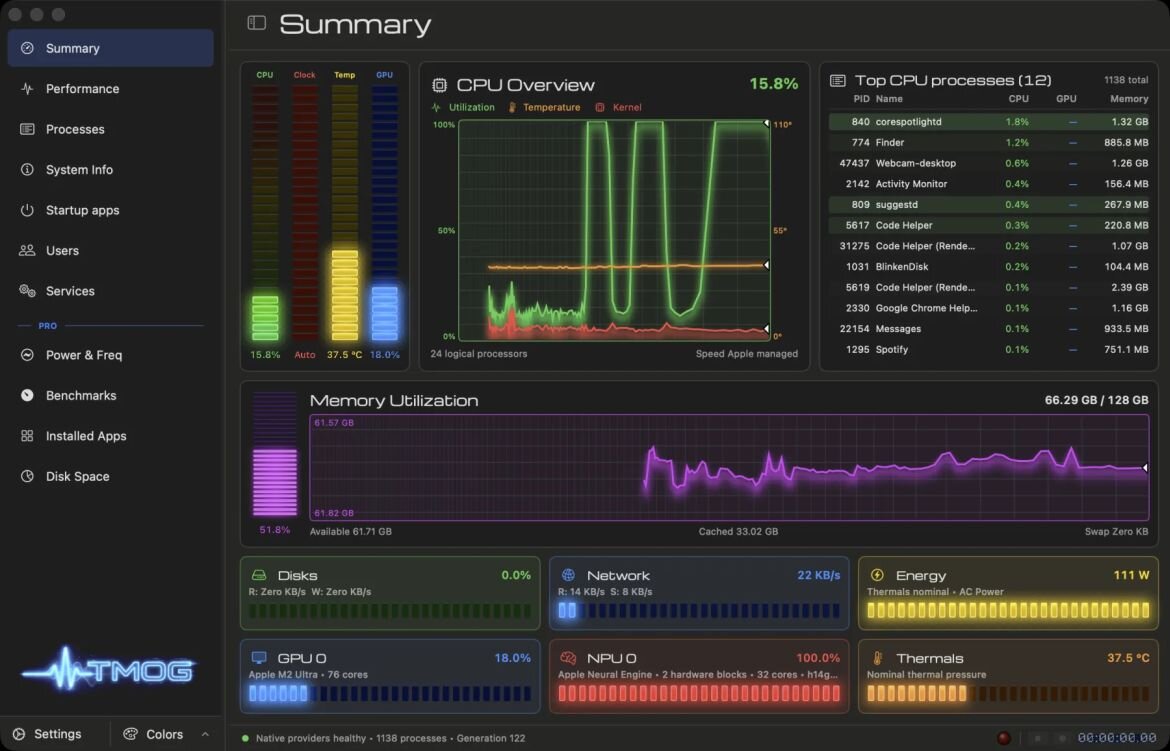
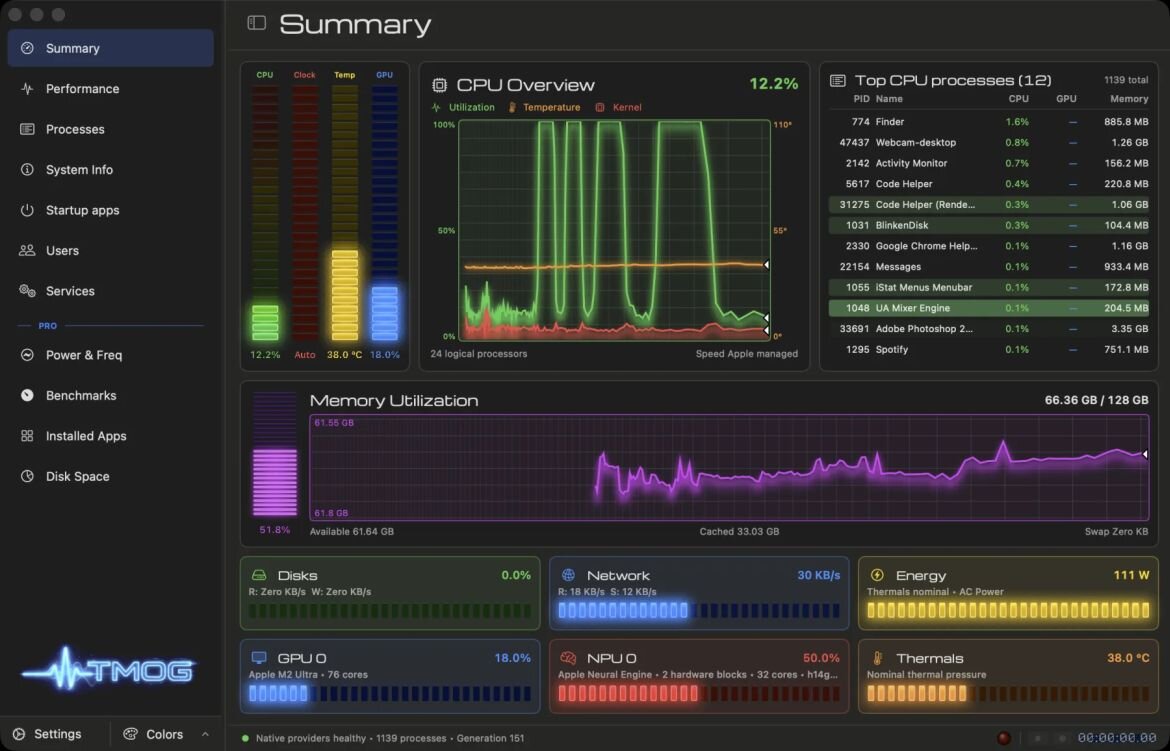
This is a great little app and I'll be using this instead of task manager now - https://tmog.org Written by David Plummer (the guy who wrote the original), it's very fully featured and available for Windows, Mac and Linux. Currently in beta, but performing well
-
A great loss, a lovely, talented lady. RIP Dolly.
-
Re-reading John Scalzi's Old Man's War atm as it's been a while since I first got my hands on it. I have the whole series, so expect to get finished with them all around December with any luck. *Eyes up my Culture series books for a mid-winter fling.
-
And one last thing, I had noted that it was not cooling down enough under load and the fan hadn't been kicking in. It turns out that Mac fan curves are not really catered for under Mint\Linux, so you will have to install mpbfan (search for it in Software Manager), which fixed things nicely.
-
The new cable arrived yesterday and solved all the issues. How right you all were 😀 I now have a MacBook Pro that I can use as my home laptop running the latest version of Mint. It's pretty fast too (16GB DDR3 ram still keeps up)! The only snag I had was that once I'd installed Mint and got a temp monitor running I found it was idling at 80+ degrees, so a clean and re-paste was in order (it's not been done in 14 years!) When removing the logic board the keyboard backlight connector ZIF connector simply came away. Not a deal breaker, but I'll look into either replacing the board or getting a replacement connector soldered back on. All in all though, I'm quite happy with the outcome and it's going to get a few more years out of an old machine. And I can cover it in stickers! *And I do have to get some decent fonts on here as I don't like the default.
-
Bit of an update as to what I have found out so far, especially after installing it several times to spinning disks: The cables are fragile and can affect reliability (as mentioned above) The cables fitted to some Macs with spinning disks around that time were rated for SATA II, not III which SSD's would require to work reliably Macs are fussy about which SATA SSD's you fit. Apparently they don't like lower capacity ones I've ordered a new cable which should be here today and I'll let you know how I get on.
-
😔RIP Frank, I was gutted some time back when I missed them in Manchester.
-
It gets worse when your kids grow up though, Currently any coat hanging space is at a premium, once they leave, that space demands to be filled. Nature abhors a coat vacuum.
-
And I didn't include 2 fleeces! It would be interesting to compare this to those in other countries, and I'm glad I'm not alone in having more than a few coats\jackets 😁
-
The weather here in Preston has finally nudged itself back into 'English summer' and, whist grabbing my Waterproof ready for my lunchtime walk, I noticed I have more than a few coats. I seem to have one for every occasion and feel I may be overdoing it. Currently I posses: A North Face Puffer Jacket Another puffer jacket the NF is to replace, but still has some life in it yet A pea-coat for dressier\smart occasions A Gore-Tex waterproof A Sheepskin flying jacket (got that at a closing down sale as I always wanted one. Very warm! A replica 60's US field jacket for mooching around the countryside in A long-ish black leather jacket (had it for ages and can't bare to part with it, even though it's fading now) Is this too many (I actually had to but a coat stand to accommodate the most commonly used ones) or am I overthinking the fact I live in a place that requires definite seasonal jackets? And if anyone can beat this, then please feel free to put my mind at rest!
-
That's exactly the answer AI gave me! 😅
-
As part of the Mint install, it does download the drivers for WiFi and will install them as part of the image (I have it hardwired to do this). I'm suspecting it's more to do with the SATA SSD's I'm using. All the people online seem to be using the original spinning disks when they do they YT vids showing how to do it. more digging to be done I think. It may just be as simple as the type of disk controller used in the SSD's. I'm going to have to (as per @ZeroHours advice during a chat yesterday) use AI to get to the bottom of this I think.
-
Yes, it boots via USB fine, and OSX on the original (spinning) drive works fine. I had considered this, but all tests say it's fine. The entire detection and install process runs just seamlessly. Just on reboot, after installation, do I get the issue. This Mac should be fine with SSD's, but the first one I used (Intel, which works fine in everything else) really struggled in there. This apparently could be down to the SATA\SSD controller and Mac hardware not liking each other. I may do a search and see if there is a list of SATA SSD's that work without issues.
-
I won a huge lot of Macs the other week at auction for very little money and all bar a MacBook Air are working fine. They range between 2009 and 2012 and most are quite well specced. Two of them are 27" iMacs and, apart from the processors (1st gen i5's), maxed out. they even have Apple SSD's. My issue however, is that I've been trying to get Linux Mint to install to a 2012 MacBook Pro and, after much trying and not succeeding (and a HUGE amount of trawling through various Linux forums) I'm left scratching my head. The issue is that I had put in a spare SATA SSD and the install process runs successfully, but it will never boot and fails to recognise the drive. I have followed all the instructions\advice on how the drive should be prepared, turned off various features to ensure it can be seen, but no joy. I can't even install OSX onto it. I've even tried other flavours of Linux with the same results. All drive diagnostics tell me the drive is fine. I'm really scratching my head over this and if any of you have done this successfully, then please let me know any tips you might have as it's turning into a challenge I don't intend to lose.
-
Sadly, I couldn't get a decent pic, but got a lovely one of the sun over an old tractor.
-
Is anyone going to be watching this anywhere cool? I'm off to the Ribble estuary to see it with a nice big sky. If any of you take a decent pic of it, then feel free to post it up here And don't forgot to use proper eye protection!
-
Interestingly, several of Google recent kill-offs were AI based things.
-
Google Earth Pro will be killed next year. I'm now getting a message on it that it will be unavailable for download as of the 25th July 2027. Not sure if this means that the image feeds will be cut off, or you will be able to continue to use the desktop app if you already have it.
-
I really enjoyed the first one, and very much looking forward to this 😁
-
Bill Oddie: The Goodies and Springwatch star dies at 85
Dos_Box replied to 6Foot2's topic in General Chat
😔That is sad. Loved him as a kid in the Goodies, then later doing his birding stuff on TV (until his Springwatch oopsy). He will be missed and only Graeme Garden left of The Goodies now.