ragbuster
-
Posts
71 -
Joined
-
Last visited
Content Type
Forums
News
20th
EduGeek EDIT Conference
Blogs
Everything posted by ragbuster
-
Is it possible to log access by users using HAP from home?
ragbuster replied to ragbuster's topic in Home Access Plus+
Replied to your private message. Hope it helps -
Is it possible to log access by users using HAP from home?
ragbuster replied to ragbuster's topic in Home Access Plus+
Been looking at the aspx file and noticed at the top these lines: Looking in the scripts folder show that none of these .js files exist. Is this the problem? -
Is it possible to log access by users using HAP from home?
ragbuster replied to ragbuster's topic in Home Access Plus+
Ok managed to get it to work had to add the user in SQL server as domainname\computername$. I think it is working correctly now but I dont seem to see any graphs, does it require something else for this? -
Is it possible to log access by users using HAP from home?
ragbuster replied to ragbuster's topic in Home Access Plus+
Morning Nick, you knew this was coming but I have a question. I have got to the part where I have to create login account in sql server which your video shows you creating a IIS APPPOOL\extranet user but in my case I am using IIS6.5 on a different server. I assume I have to use network service user but seem unable to select it when browsing active directory. The server is a member of cc4 domain so I see the domain listed and click check names and it finds network service, I click to add it and it ends up being entered as the name of the sql server\network service instead of the cc4 server\network service. First am I right in thinking I should be using the network service account for iis6.5 and do you know how I can enter the account properly? Thanks -
If iptables is running it will be listed as running under the services application. Your rules from above show rejecting all forwarding and for your incoming you reject all initially and then allow all via all those rules. Well thats how it would be interpreted in webmin but not sure if cli mode shows it reversed, if so you are enabling all ports and then finally rejecting everything.
-
Is it possible to log access by users using HAP from home?
ragbuster replied to ragbuster's topic in Home Access Plus+
Excellent, will have a look at doing this tomorrow. Just out of interest will hap be compatable with the new windows 8 phones. Looking at buying a Nokia Lumia 920 in yellow. I think I read somewhere that you were also getting one. -
Is it possible to log access by users using HAP from home?
ragbuster replied to ragbuster's topic in Home Access Plus+
So I dont need to install anything on the server just set up the sql database, is this right? -
Is it possible to log access by users using HAP from home?
ragbuster replied to ragbuster's topic in Home Access Plus+
So I still need to install logon tracker then? So install logon tracker and then follow sql server setup. Your video shows hap version 6 but I assume the config options are still in the same places. Will have to install the database on a different server because our cc4 server is working hard already. -
Is it possible to log access by users using HAP from home?
ragbuster replied to ragbuster's topic in Home Access Plus+
Thanks Nick, are there any instructions somewhere on how to set this up? -
Does HAP have a log in which I can determine who is logging in/off to the system at home? Would be nice to have it list login time/logoff time and files accessed for a user. Actually a nice graph might be nice to see the change over a certain period of time. The logon tracker sounds like it logs access from local workstations which I do not really need, is this correct?
-
Have you tried using the urls : "http://localhost:10000" or "https://localhost:10000"
-
I have used Nagios before and it was very good but changed over to Zabbix because I heard good things about it. I particular like the network maps you can create with it and the fact that every sensor can be graphed.
-
Take a look at this link 5 Ways to Crack or Reset a Forgotten Windows XP Administrator Password
-
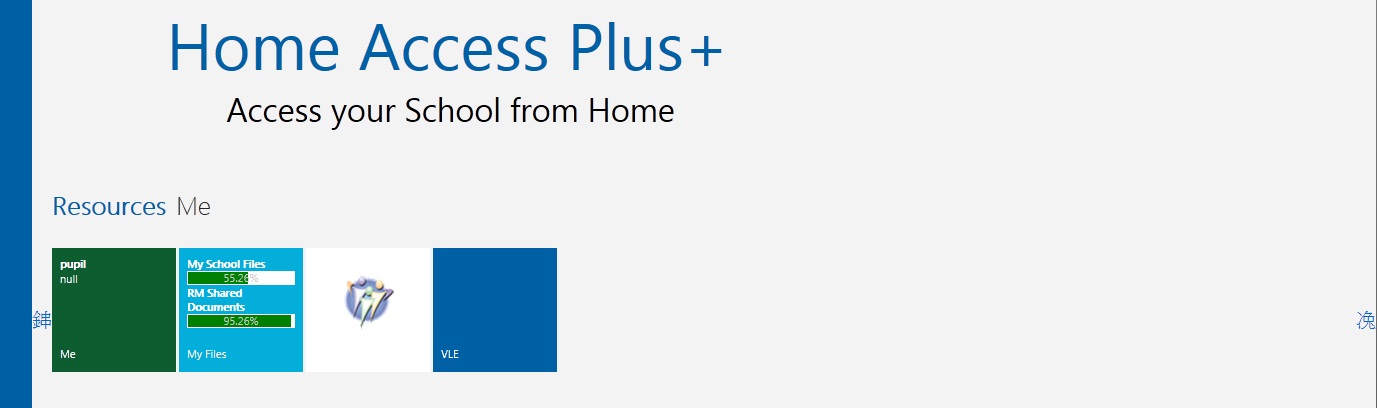
Strange symbols in IE8/9 including the scroll left/right buttons
ragbuster replied to ragbuster's topic in Home Access Plus+
Update to issue: Under IIS6.5 looked under http headers and noticed I had custom header "cache-control no cache", removed this and icons now show correctly but... when logging in I now see this. Any ideas? Forget about the error, fixed now performed a iisreset on the server and tried again and looks good now. Nick any idea why the cache control caused the issue? is ok to remove this header?
-
Strange symbols in IE8/9 including the scroll left/right buttons
ragbuster replied to ragbuster's topic in Home Access Plus+
I have had rectangles at home and no matter how I try to refresh the issue does not resolve, any other ideas? -
In IE I have noticed the login button symbol funny and also the left and right scroll buttons once logged in. If I enter the my files section and then return to the home screen then the scroll buttons are displayed correctly. I attach some images.
-
You could not ask for a quicker fix. Thanks Nick, it now works. By the way when it says "This error has been logged on the server's event log" where is it? I have looked in the event viewer but can not find any mention of a failed security attempt.
-
ok tried in firefox and this error does not occur, went to IE9 with debug mode on and it also worked. Closed all IE windows and tried again without opening the debug window and back with the WCF error again. Problem is how can I find the error if opening the debug window seems to fix the issue so it does not occur? really strange.
-
Nick, I have noticed some times that there can be a long wait until the initial logon page is displayed. Can this be improved or maybe have a splash screen at least to inform the user the site it loading, any fix for the error message an WCF error has occured when attempting to enter a folder which the user does not have the correct privileges?
-
Installed v8 and everything seems to be working fine except one little thing. If when trying to enter a folder where the user does not have permission I get the message "an WCF error has occured". I assume this should be informing me that the user does not have access. Any idea what this error means? By the way version 8 looks great, fantastic work.
-
Thanks Nick, installed the new version. Noticed it was a bit larger in size and I assume I had to run the register script to install it as a service. Once done it is now running fine. Was I meant to run the register script or is this meant to run automatically as part of the installation?
-
Sorry Nick, still the same error message after installing the updated installer.
-
Trying to install the latest x86 release on Server 2003. Installation went fine although the service will not start. Error listed in event viewer is : Service cannot be started. System.IO.FileNotFoundException: Could not load file or assembly 'HAP.Data.Quota, Version=1.0.0.0, Culture=neutral, PublicKeyToken=null' or one of its dependencies. The system cannot find the file specified. File name: 'HAP.Data.Quota, Version=1.0.0.0, Culture=neutral, PublicKeyToken=null' at HAP.Data.Quota.Service.QuotaService.OnStart(String[] args) at System.ServiceProcess.ServiceBase.ServiceQueuedMainCallback(Object state) WRN: Assembly binding logging is turned OFF. To enable assembly bind failure logging, set the registry value [HKLM\Software\Microsoft\Fusion!EnableLog] (DWORD) to 1. Note: There is some performance penalty associated with assembly bind failure logging. To turn this feature off, remove the registry value [HKLM\Software\Microsoft\Fusion!EnableLog]. Looks like it can not find file/assembly HAP.Data.Quota. I have done a searh for the file on the system but can not find it anywhere. Is it missing from the package?
-
I have added our school to the list. The least I could do for such a great piece of software.
-
That fixed the layout issue (mine was set in compatablility mode RM policy setting I guess) Nick but when I try to access the images folder I get 3 error dialog boxes. Screen Shot attached I just noticed that the file list was not the file list from the account I logged in as. The file listing is from my account which is weird.