Avalon
-
Posts
122 -
Joined
-
Last visited
About Avalon

-
-
thanks Nick yes I am searching the user but do not see built in security principles just users, that must be the issue
-
hmmm doesn't seem to want to find it, can I set this as a different account or must it be network service?
-
this is not a domain controller so I do not have a Network Service account Will it only work on a dc?
-
thanks Nick, yes you were absolutely right, I thought it was a bit strange there was no App_Data folder! I have completed the install process working through the instructions on IIS6 and I get a 'Internet Explorer cannot display this webpage'. I think it is a directory security issue, I have attached a screenshot of the site security settings, any ideas?

-
Hi, I have done a fresh install of V8 on IIS6. Followed the instructions and did not encounters and issues during install but get the following error when trying to access HAP: Server Error in '/' Application. -------------------------------------------------------------------------------- Parser Error Description: An error occurred during the parsing of a resource required to service this request. Please review the following specific parse error details and modify your source file appropriately. Parser Error Message: The file '/Controls/Announcement.ascx' does not exist. Source Error: Line 1: <%@ Page Title="Crickhowell High School - IT - Home Access Plus+" Language="C#" MasterPageFile="~/masterpage.master" AutoEventWireup="true" CodeBehind="Default.aspx.cs" Inherits="HAP.Web.Default" %> Line 2: <%@ Register TagName="announcement" TagPrefix="hap" Src="~/Controls/Announcement.ascx" %> Line 3: <%@ Register TagName="version" TagPrefix="hap" Src="~/Controls/UpdateChecker.ascx" %> Line 4: Source File: /Default.aspx Line: 2 Any ideas?
-
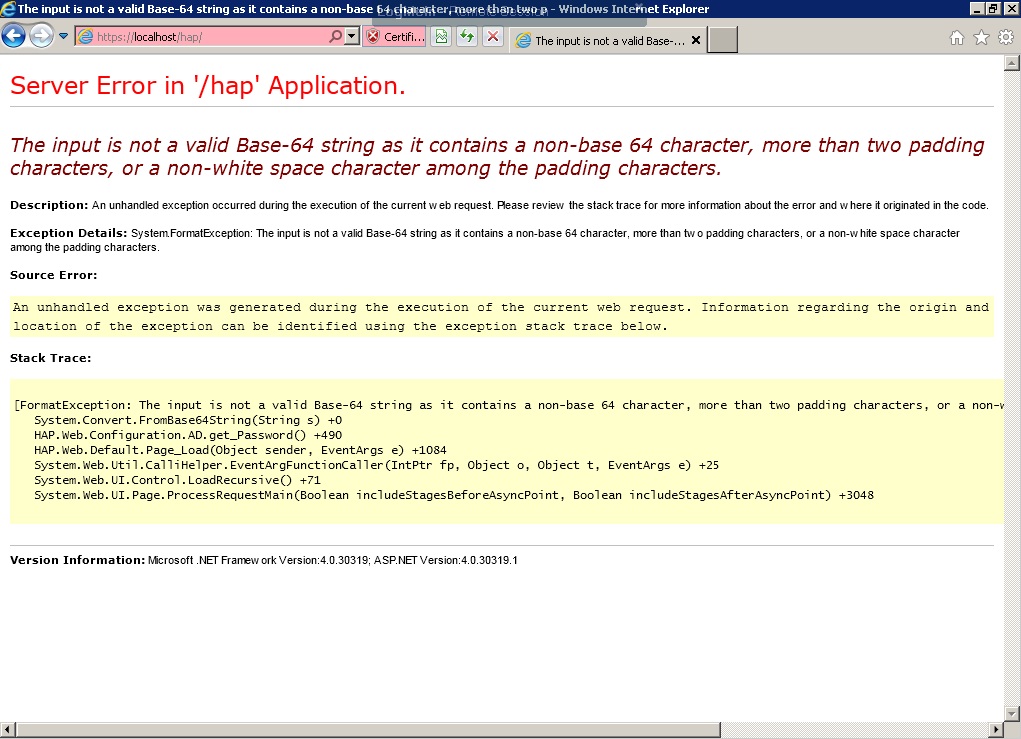
I am certain the password is correct, can you advise what to check with regards to the HAP token? Thanks in advance
-
getting the following error during installation which I have not seen before and cannot find any reference to the same error on edugeek. Any ideas anyone? Image attached
-
has anyone got any ideas how to get around this? had to reinstall HAP and cannot get past this stage, tried everything!
-
unfortunately I now get an 'invalid login' error when trying to login as an administrator for the first time. I have read through the documentation and actually tried reinstalling it from scratch and get the same error, any ideas?
-
thanks Nick that has cracked it I have no excuse other than the fact it was Monday!
-
Hi Nick, thanks for your reply. I am already running the page on the server. I thought I had already installed the full version of .net 4. Microsoft .NET Framework 4 Client Profile is showing as what is installed on the server at 38Mb, is this incorrect?
-
Hi, I am having a problem on a vanilla install of HAP, I have searched the forum but cannot find anyone else who has posted this issue. Basically I have followed the installation instructions and at the point where you browse to the website in IIS I get the following error message: HTTP Error 500.19 - Internal Server Error The requested page cannot be accessed because the related configuration data for the page is invalid. I have tried reinstalling .Net Framework as I read somewhere this may be the issue but made no difference. Thanks in advance for any suggestions.
-
I tried this but get the error - invalid parameter "IIS AppPool\HAP" This worked for me last time I installed HAP but not this time. Are there some IIS role services I need to add? Thanks in advance for any help
-
great thats good to know, can I ask whether you manually set AP channels or let it automatically sort itself out? Trying to decide the best way to go about this ...