bizzel
-
Posts
685 -
Joined
10 Followers


About bizzel

-
That's a bit of a larger change ;-) It's on the roadmap but quite a way off. My plan, in a rough order, is: Use a database (self-contained or an existing server on your network) in 2.7 for tasks, reports, quarantine, etc. This should improve performance quite a lot compared to storing and retrieving lots of objects from JSON files. It's also needed to let the task results tab handle thousands of files without locking up. Enhance the scan engine with new features using the Analyzer interface (I shipped this silently in 2.6.2). Analyzers act on files that have already been detected, before they are displayed in the results summary. Examples would be: calculating file checksums, reading MIME types, extracting EXIF tags from images, etc. Think of the old File Inspector integrated into the scan results. Overhaul the scan engine with rule based detections. This allows composite queries like: "detect all files that are over 30MB, that are images or videos, but don't have the word 'backup' in the name". Regular style queries aren't going anywhere though. Background service mode? Regular filesystem indexing and report production on a schedule? This would need further database enhancements and a new UI at the least so it's several months of hobby work. Hope that gives you some interesting insight into the pipeline, if nothing else. I should write this up in a post at some point.
-
I took a look this evening. There was/is code to deal with this kind of thing, so files with the same name should have been renamed with a numbered suffix on import: file, file (1), file (2), and so on. I was unable to recreate the issue on my dev machine - multiple files with the same names but from different directories were quarantined fine, with the names I expected. My best guess is that there is some kind of timing issue where the filename check ("what should I name this on import?") for the second file completes before the first file has been fully moved. That would cause the second file's name to be the same as that of the first. This is much more likely on a network home drive or a slow mechanical drive, I imagine, due to the latencies involved. Over here I'm testing on an SSD which isn't really the best comparison. I have some ideas though. First, I've changed the behaviour of the import process a bit in this patch: https://github.com/paulbeesley3/EduSweep/commit/2d80aa96e454b65f3b1b22706725085594518157 . This should be a pretty safe change, and backwards compatible too. If you'd like to give it a try then that would really help me out. The installer exe is here: https://ci.appveyor.com/project/paulbeesley3/edusweep/builds/23580015/artifacts . This is exactly the same as 2.6.2 otherwise, no other changes. You'll need to remove the existing EduSweep installation first but all your settings and files will be preserved.
-
That's interesting. I think that in older versions there was some renaming done when a file got moved into quarantine but perhaps that was lost when everything was overhauled for 2.6. I'll take a look into it.
-
The 2.6.2 release, with the changes discussed, is now available
-
The second maintenance release for EduSweep 2.6 is available. This update contains further improvements to the user interface, especially around list sorting and selection and it fixes a handful of bugs. If you haven't used the application before then see this overview page that summarises the features: http://www.edugeek.net/forums/edusweep/201485-edusweep-overview-links-downloads.html Full release notes at: https://github.com/paulbeesley3/EduSweep/releases/tag/2.6.2 EduSweep 2.6.2 Installer Thanks for using EduSweep!
-
The next release will be 2.6.2 and that will probably land sometime next week. I just have a couple more to-dos that I'm working on before it's ready, mostly laying the groundwork for 2.7. I'll post in this forum when I do the release and you can also use the update check button under the Help menu on the main window to see when a release has been published. It takes you to the same place as the "Releases Page" link in this thread.
-
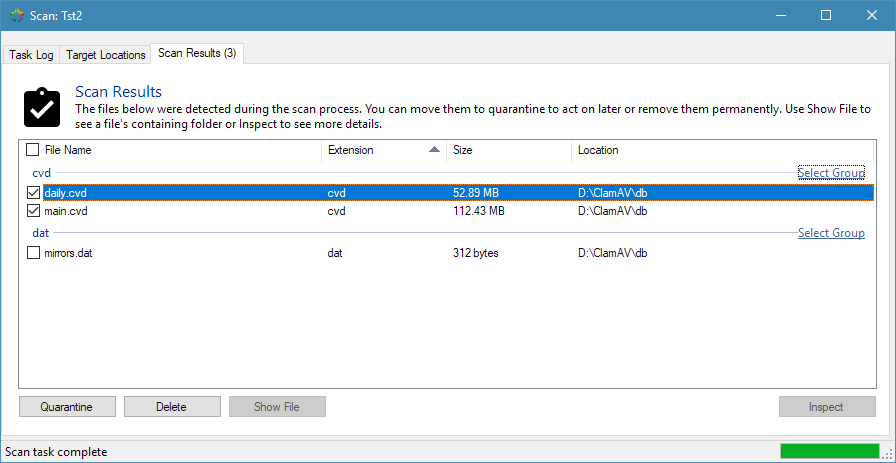
No problem. The top-left checkbox now toggles selection of all results while each group gets a control link on the right-hand side to select or deselect items at a group level. I also added a right-click menu for selecting all items and clearing the selection. These changes will show up in the next release.

-
Let me know how you get on with this new version. Also note that 2.6.1 is available if you didn't already grab that.
-
It's official: I'm restarting work on AUP Informant now that EduSweep 2.6 is out the door. In fact, I started to think about AUP Informant at the very start of this year. This will be a big change so AUP Informant is moving to version 3.0 with the following planned features: Distributed functionality: a minimal server app (aupd), the client app and a 'toolkit' app to extract data and generate reports Run-as-service support for the server application (often requested!) Windows 7, 8, 10 support for the client application Optional Docker container for deploying the server application Direct Connect option for VLAN and multi-subnet support Better support for terminal services environments Open protocol allows for third-party/alternative client apps JSON-based config files, if you want to go in and tweak settings with a text editor Source code, downloads and issue tracking hosted on GitHub Source available as GPLv3 code Full documentation Importantly, this is still a way off. I am still in the early stages of defining protocols, reorganising the old application code and building the server. If you have comments and/or feature requests then now is the time to get them to me! Later in the year I will look for one or two partner schools to try a beta version and we will go from there. You can reach me in this thread, by PM or using the contact form at https://www.paulbeesley.com/contact Thanks, Paul
- 1 reply
-
- 2
-

-
- aup
- aup informant
- (and 1 more)
-
Hot on the heels of EduSweep 2.6, I have a small maintenance release available. This update refines the user interface, updates the documentation and fixes some non-critical bugs. If you haven't used the application before then see this overview page that summarises the features: http://www.edugeek.net/forums/edusweep/201485-edusweep-overview-links-downloads.html Full release notes at: https://github.com/paulbeesley3/EduSweep/releases/tag/2.6.1 EduSweep 2.6.1 Installer Thanks for using EduSweep!
-
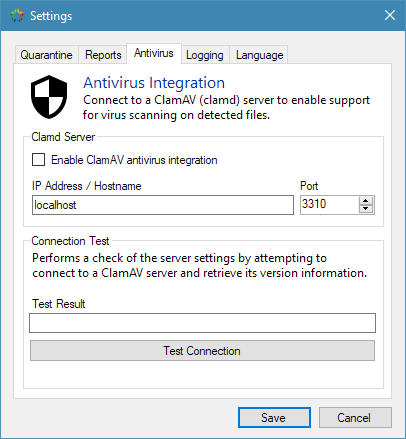
Hi everyone, I'm happy to announce that, after a very long time, a new stable version of EduSweep, the open-source network scanner, is available for download! I'll keep this post brief and just link to the downloads and the highlights in this 2.6 release. If you haven't used EduSweep before then take a look at this page that summarises the features and what it's used for: http://www.edugeek.net/forums/edusweep/201485-edusweep-overview-links-downloads.html This is also where the download links will be kept current in the future. Added in this Release Third-generation scan engine Support for running multiple scan tasks at once Support for virus scanning of detected files using ClamAV Optional portable application mode Signature Studio utility (create and manage custom signatures) Full Windows 10 compatibility Complete user documentation See full release notes at: https://github.com/paulbeesley3/EduSweep/releases/tag/2.6.0 Downloads and Documentation EduSweep 2.6.2 Installer Releases Page Documentation Give Back Other Links Project Overview (GitHub) View / Report Issues View / Request Features Trunk Builds (unstable, development builds) Code Quality Metrics (Codefactor.io) License Information
-
I still have the AUP Informant source code safely tucked away, and I still regularly receive requests for the app installer (which I don't have). Some of you may be aware that I am in the process of resurrecting EduSweep and that the source for that is now on GitHub (https://github.com/paulbeesley3/EduSweep). I could do the same for AUP Informant but it would take quite a lot of effort; for EduSweep I was working on it for three months during a period of unpaid holiday and now I'm back at work full-time. I also don't have a large enough network for proper local testing of the server and client applications. With that said, I would perhaps be willing to do a very rough fix-up of the old code to get something out there. Let me take a look at the codebase to see what kind of state it's in - for EduSweep I ended up re-writing almost two-thirds from scratch but I think AUP Informant was in better shape overall.
-
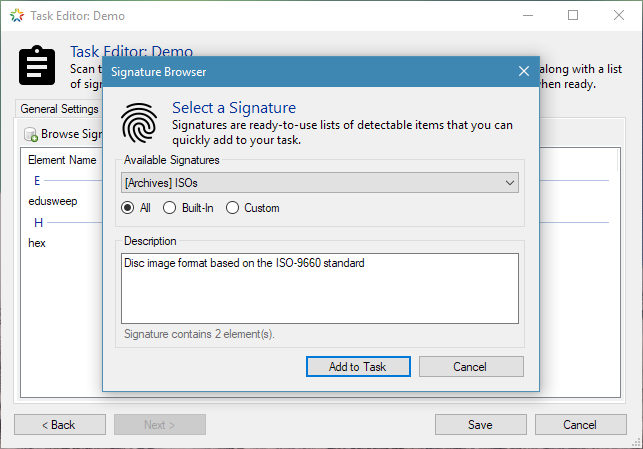
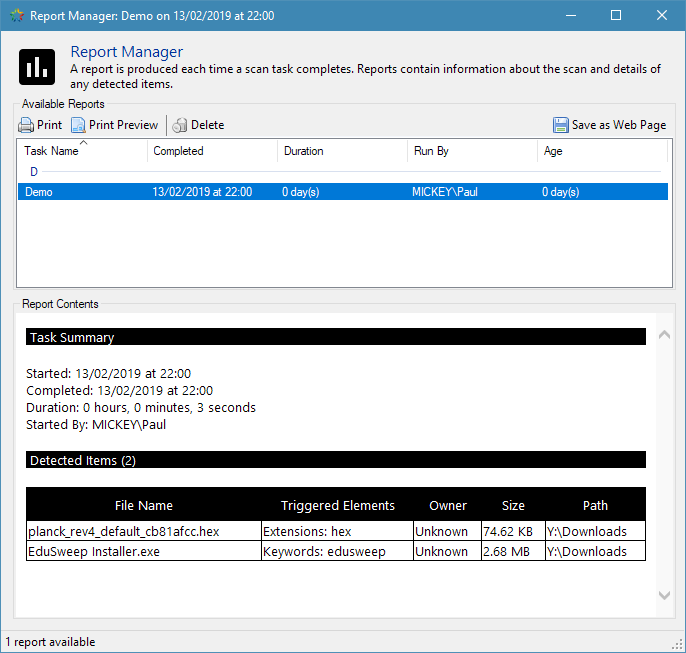
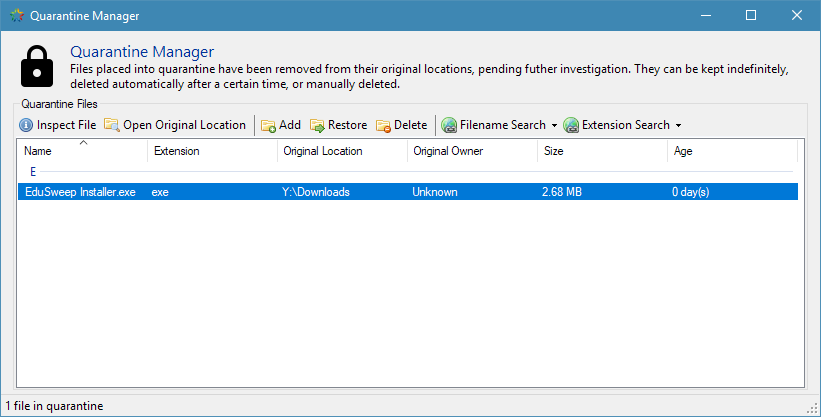
What is EduSweep? EduSweep is a tool for finding and removing unwanted files - based on their extension, their name, or their content. It helps to keep your network free of files that contravene your usage policies, that take up too much space or that may be vectors for malicious content. EduSweep offers features that go beyond what is offered by the built-in Windows search tools; it can help you to target specific types of unwanted files more easily while also offering evidence gathering and file inspection tools. Features Scan tasks make repeated, regular scans quick and easy to run. Select relevant directories to scan then quickly target groups of files using signatures (premade sets of things to detect during the scan). The Signature Studio utility lets you create, manage and share custom signatures that extend the signatures included with the application. Built-in reporting tools support evidence collection, with a report being produced each time a scan task completes. HTML export of reports is available to facilitate archiving and printing. Quarantine functionality allows you to store files for further inspection, while the included File Inspector utility can offer insights into a file's true content using TrID technology to identify file types based on their binary signatures. This helps in finding files that have been disguised by having their extension changed. The latest version of EduSweep adds ClamAV integration. This allows you to connect EduSweep to a ClamAV server (clamd) so that any files detected during an EduSweep scan will be automatically scanned for viruses, adding another layer of protection and threat detection. Screenshots Downloads and Documentation EduSweep 2.6.2 Installer Releases Page Documentation Give Back Other Links Project Overview (GitHub) View / Report Issues View / Request Features Trunk Builds (unstable, development builds) Code Quality Metrics (Codefactor.io) License Information
-
- 2
-
-
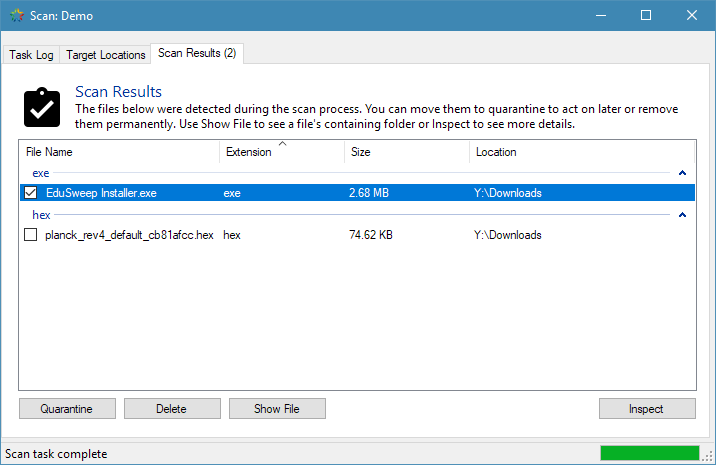
Good question! I suppose that I should have added a stickied summary thread while I was going through and updating this sub-forum. EduSweep is a tool for finding and removing unwanted files based on their extension, their name, or their content. You could achieve some of that using the Windows search tools but EduSweep adds the ability to do all three at once, to save repeatable scan tasks that target a collection of directories, to quickly target groups of files using signatures, to produce HTML reports, to quarantine and research suspect files, and to integrate with ClamAV for automatic virus scanning of detected files. For example, you might decide that you want to search users’ home directories for executable files and scripts. With EduSweep you would create a scan task and add the relevant directories to it. You could then select from some built-in signatures (or create your own) that target file extensions related to scripts and executable files. Running the scan will produce a summary of the results and a formatted report (for evidence gathering) and from there you can quarantine or remove files directly. Since the scan task is stored you can re-run it quickly whenever you like. I’m considering adding automation features so that scan tasks can run in the background, on a schedule, and you simply get a report generated at regular intervals which you later review and act upon - but that’s for the future.
-
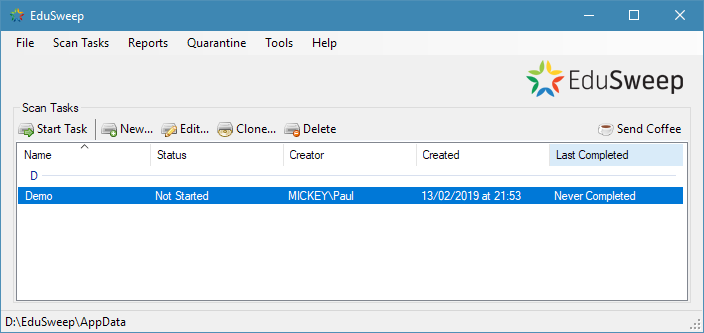
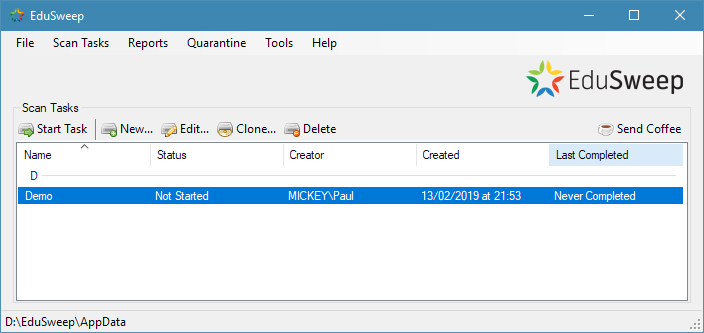
I plan to open up the GitHub repository and documentation around the same time as the first beta version is ready - probably early December at this point. In the meantime, here are a few screenshots showing some of the changes and new features. Thanks for the interest so far. The overhauled main window: Editing target directories in a scan task: Selecting signatures to add to a task: The quarantine manager: Options for quarantine cleanup: Integration with a ClamAV server (clamd):