JBlue46
-
Posts
4 -
Joined
-
Last visited
About JBlue46

-
Visual Studio Code - Students can't see Python interpreters
JBlue46 replied to JBlue46's topic in Educational Software
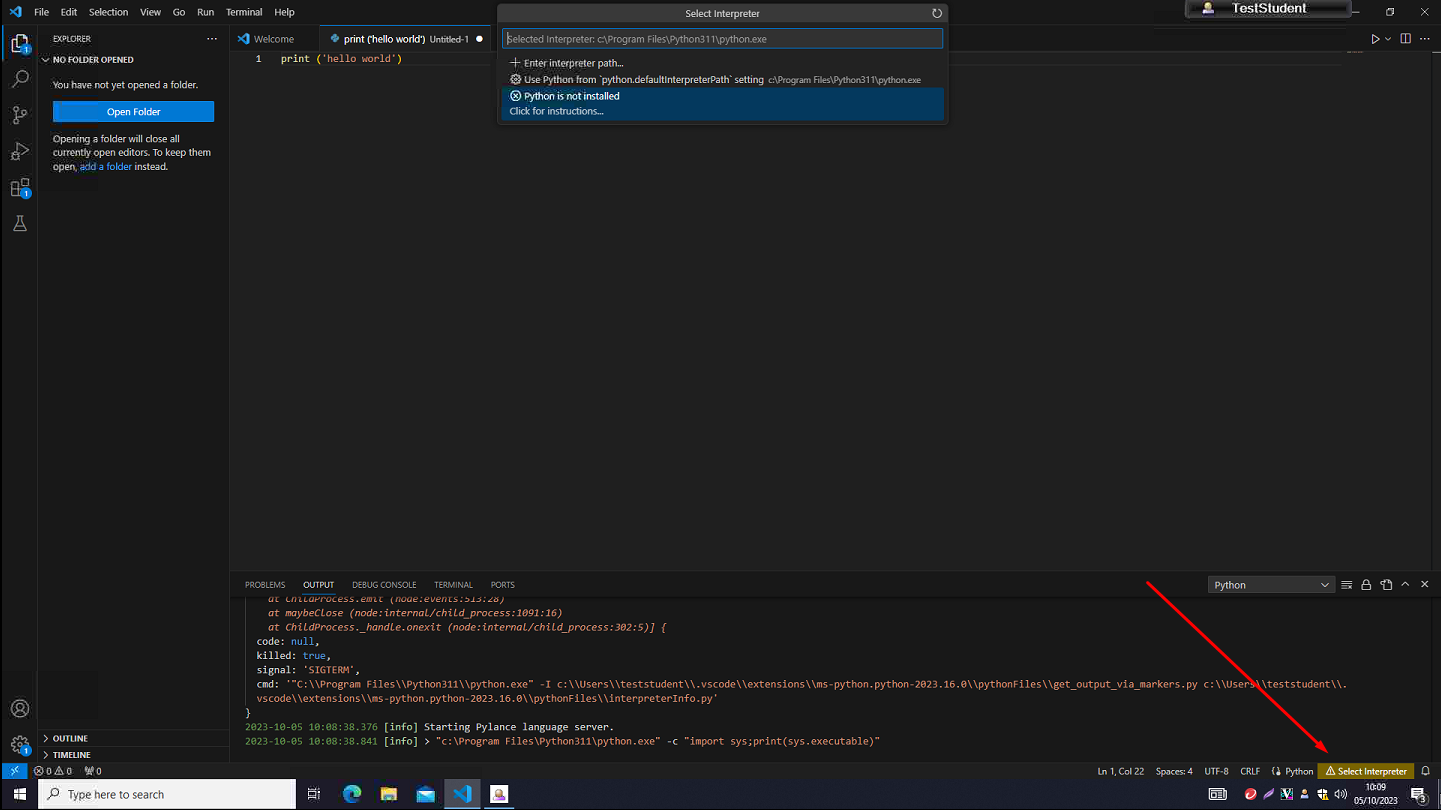
@Bankesy That sounds like the same issue, students can run up Visual Studio Code fine but you can just see it spinning in the bottom left corner 'Discovering Python interpreters'. That seems to fail and you get a message in the bottom right to 'Select Interpreter': Even with the 'python.defaultInterpreterPath' setting pointing directly to the install they still don't see it
-
Our IT teachers are wanting to move over to using Visual Studio Code for Computing lessons but I'm having major trouble with student user accounts being unable to see any Python interpreters. To clarify, I'm using all user installs of both Visual Studio Code and Python 3.11.5 so they're sat in C:\Program Files and ticked the 'PATH' options during install. They're able to install the required Python extension within Visual Studio Code though (I believe this gets put in their local user profile on the machine). Accounts with elevated privileges don't seem to have any issue automatically picking up the location of the interpreter so possibly a permissions issue? Any help much appreciated!
-
Fusion 360 - Students not being redirected to browser to sign in
JBlue46 replied to JBlue46's topic in Educational Software
Nope, still struggling unfortunately! I've managed to placate the DT staff for the moment by moving them across to the browser version of Fusion 360 though. Combing through a couple of the log files I came across an 'Access Denied' error with the 'SSOServerProcess' so it must be a permissions thing. Seems like the only fix would be upping student privileges but I'd rather avoid that -
I'm currently wrestling with installing the latest version of Autodesk Fusion 360 on a set of 20 DT machines (Win 10). The previous version rocked along quite nicely all of last year before Autodesk made a change to the sign in process that forces you into a browser to sign in. Students can run the software up ok but just don't get thrown to a browser to sign in. I've tried tweaking default browser to Chrome from Edge via GPO on advice from Autodesk but that didn't seem to help. Multiple resets, repairs and reinstalls and still no luck. The number of posts on Autodesk forums around this makes me think it just doesn't play nicely in a school environment. Hoping somebody else has had more luck than me