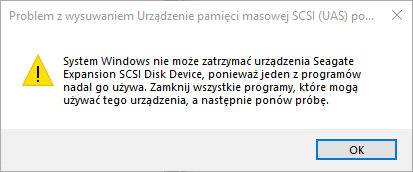
When I want to unmount the SRD00F1 USB hard drive in the lower right corner, an inscription pops up
Windows can’t stop your ‘Expansion SCSI Disk Device’ device because a problem is still using it. Close any programs that might be using the device, and then try again later.” What you can do is closing the dialog box or click “OK” button.
When I go to the "My Computer" icon it resets "Windows Explorer" but only when I connect this hard drive. Flash drives work normally. To unmount this drive, you need to use Dev Eject https://deveject.com
I am using 64 bit Windows 10 Pro build 19054.2251
Everything is fine in Device Manager.
Motherboard: A320M PRO-VD/S (MS-7A36)
Processor type: QuadCore AMD Ryzen 3 1200, 3100MHz (31 x 100)
Graphics - GeForce GT 630 (1GB)
Ram: Module size 8GB
Drive: TOSHIBA HDWD110
Drive: ATAPI iHAS122F