

Building a Recording and Sequencing lab on a budget (And why you shouldn’t buy Apple)

Entry posted by ICTDirect_Dave in Money Saving Advice
34,290 views
Background
Building a PC to do studio recording / sequencing is not something I’ve have to trouble myself with for a number of years. After all, at university, I had access to a number of high level facilities, and after I had left, I bit the bullet and bought a Macbook Pro - whilst not the best outright, it did most of what I needed with little or no fuss (and for close to £2,000 you would expect no less!).
However, I was contacted by a customer this week who had been asked to look into buying a suite of iMacs to replace their aging G4 Macs in their Music Tech suite.
Looking into pricing I was absolutely staggered! Whilst I know Apple kit isn’t cheap I didn’t expect a quote for 25 machines to be pushing past £21,000!
We’re only talking entry-level machines here, 21.5” iMacs as seen in the Apple Store (Configure - Apple Store (UK))
<table>
<tr>
<td>[TABLE=width: 100%]
<tr>
<td>
Specifications
2.7GHz Quad-core Intel Core i5, Turbo Boost up to 3.2GHz
8GB 1600MHz DDR3 SDRAM - 2X4GB
1TB Serial ATA Drive @ 5400 rpm
Intel Iris Pro Graphics
Apple UK Wired Keyboard & Mouse</td>
</tr>
</table>
</td>
</tr>
</table>
Whilst it’s a nice looking machine, I’m not sure I could justify spending so much on so few computers!
This got me thinking… Just what kind of a Music Production setup can you get for a similar price to an iMac? In this case our target price is £875 (excluding VAT) on hardware alone. Software pricing is pretty similar across both platforms (I’d suggest a combination of Ableton Live & Cubase SX7 for Windows users)
Requirements
There is so much more to audio production these days than there used to be. No longer will a powerful PC with a decent internal sound card be okay for sequencing pre-recorded tracks. Today’s music tech enthusiast has an abundance of external audio interfaces through USB / Firewire; MIDI controllers and keyboards and all manner of outboard effects. It can be quite a daunting task deciding what you need and what you can live without.
Basic Needs
I think we can break down our requirements into basic essential/non-essential categories quite easily however.
Essentially your setup should include the following:
- Powerful Desktop PC (Windows/Mac) – We’ll be using a Windows Machine for budget
- 1 or 2 large monitors – Sequencing take up a lot of screen space!
- External audio interface – You’ll want low latency input, preamps & headphone monitoring without taxing your system
- MIDI controller keyboard
- Some decent monitoring – In this case I’m suggesting headphones as a room full of 25 stereo speaker pairs will sound pretty awful if they’re all being used at once!
- Software
It’s worth considering the following, but it’s not essential in a basic setup
- Automated MIDI controller(s) – A couple of these will make your life much easier
- Monitor Speakers – Whilst I said that too many speakers would render a room useless, it’s still useful to have one pair to listen to your work on in order to gain perspective
- External effects processors – Worth a look although with the number of high quality plugins available for today’s computer music producer these aren’t necessarily required
How to Spend Your £875 Hardware Budget
The main thing you want to look at before anything else is obviously the computer you’ll be using to run all your software and create your mixes with. It’s the heartbeat of the whole operation and important you get it right.
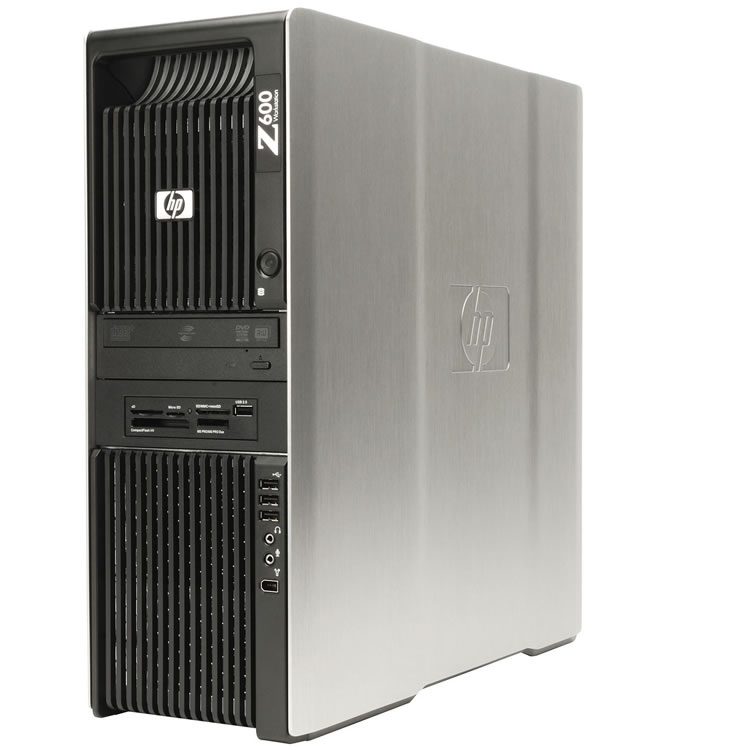
Comparing the spec of the iMac to machines I have available here in the warehouse I was immediately struck by what I would be able to use. In the end I chose the following machine:
Refurbished HP Z600 workstation: - £535 Ex VAT
 <table>
<tr>
<td>[TABLE=width: 100%]
<tr>
<td>2 x Intel Xeon X5550 Quad Core 2.66GHz Processors
24GB DDR3 PC3-10600R ECC RAM
120GB Solid State Drive - for OS and programs only
1TB SATA HDD – for local storage of student projects
nVidia Quadro NVS290 – Dual display Graphics
DVD R/RW
Win 7 Pro
New Keyboard & Mouse
2 Years RTB Warranty</td>
</tr>
</table>
</td>
</tr>
</table>
Designed by BMW and built by HP this workstation class desktop sports a pair of quad core server class Intel Xeon processors and a massive 24GB of RAM. Now that will cope with whatever you could throw at it and loading the operating system and all your programs onto the Solid State Drive will give another performance boost.
Next up, I looked for a screen. Again, looking through the items I have in stock I’ve decided on the following screen.
CTX 23.6” LED Monitor - £90
(http://www.ict-direct.co.uk/monitors/20-24-monitors/ctx-24-widescreen-tft-monitor-boxed-new.html)
<table>
<tr>
<td>[TABLE=width: 100%]
<tr>
<td>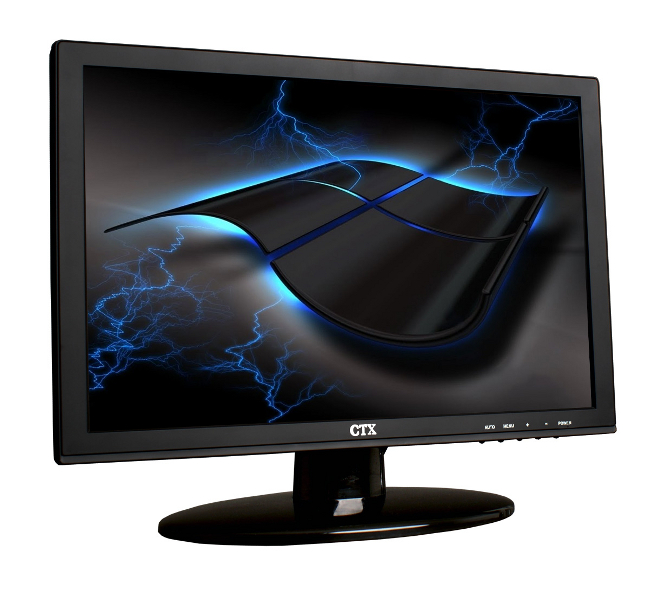
This stylish & thin monitor is a perfect balance between price and performance.
Crucially, its 23.6” screen will display a resolution of 1920 x 1200 pixels.
It has a fast 5ms response time and comes with both HDMI and VGA input connections.
Its low power usage and excellent manufacturer’s warranty make this the ideal screen.</td>
</tr>
</table>
</td>
</tr>
</table>
At this point I would suggest a pair of these monitors. As the benefit gained from having sequencing on one screen and mixer / effects on the other really is worth the extra outlay! Not to mention that a combined resolution of up to 3840 x 1200 will allow much more creative use of the screen.
Choosing an audio interface is important. Of course to get the very best sound and the quickest response you could quite easily spend thousands, but you can also get great results on a budget. In a school / college setting all you realistically need are a couple of inputs with decent preamps, a couple of outputs, and a monitor channel for your headphones. +48v Phantom Power is desirable (you may wish to use condenser mics) but certainly not essential.
After some searching across the web I settled on the following:
Focusrite Scarlett 2i2 USB Audio Interface - £99.17 Ex VAT
(Focusrite Scarlett 2i2 at Studiospares)
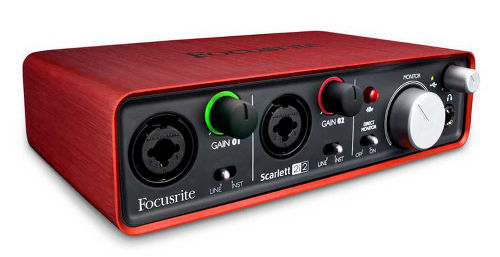
2 inputs (1/4” Jack or XLR)
Renowned Pre Amp technology
2 Line Outputs (1/4” Jack)
Headphone Preamp and Monitoring
Effects bundle (works on Live, Cubase, Logic)USB Connectivity
The Scarlett 2i2 is a 2 in / 2 out USB recording interface featuring two award-winning Focusrite preamps. Plenty of available headroom makes it suitable for moving coil, condenser and ribbon microphones regardless of the source. Phantom power is provided for mics that need it.
The included Scarlett Plug-In suite provides effects compatible with all major DAWs; so whether you're using GarageBand, Pro Tools 9, Cubase, Logic or the included Ableton Live Lite there is enough to get you recording straight away.
So far, the only thing we have not addressed is MIDI (Musical Instrument Digital Interface). MIDI is an integral component of today’s recording environment. Being used to set timings and control everything from virtual instruments to track automation, MIDI is a vital component.
To provide the widest range of options I’m suggesting a MIDI controller keyboard as opposed to a basic MIDI interface or smarter mixing desk interface. Students will have a whole world of instruments at their fingertips without needing to plug dozens of cables into the computer. It helps that you can get a decent keyboard for very little these days.
Sticking with my previous theme of balancing price with features and performance I’ve gone for:
Oxygen 25, a 3rd generation keyboard from M-Audio - £49.17
(M Audio Oxygen 25 3rd Generation MIDI Keyboard at Studiospares)
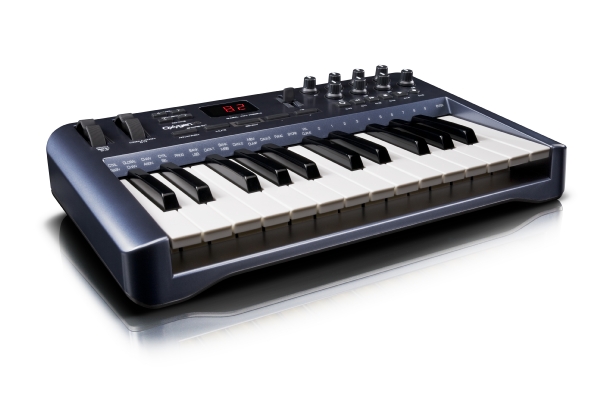
With 25 keys with 4 octave transposition, the Oxygen 25 is a fully functional MIDI keyboard. Additionally the Oxygen MIDI keyboards features eight MIDI assignable knobs (control any MIDI parameters you desire in your hardware or software), pitch and mod wheels plus dual MIDI outputs. Powered by the USB connection it uses for data transfer, it also reduces the need for an additional plug.
The final piece of the puzzle here is some form of monitoring solution. As I previously mentioned, having a room full of 25 pairs of speakers is asking for trouble. To this end headphones are your way forward. Decent headphones will give a very clean and even response and allow you to work very well without the need to constantly reference your work on a pair of speakers (still advised from time to time if working for long times). Fortunately, decent headphones are both relatively cheap and easy to come by.
For this particular exercise I’ve chosen these:
Sennheiser HD201 Headphones - £12.50
(Sennheiser HD201 Headphones at Studiospares)

Features
Powerful stereo sound
Rich, crisp bass response
Light weight and comfortable to wear
Good attenuation of ambient noise
Extremely rugged
High-quality leatherette ear pads
1/4 inch jack adaptor, gold-plated2 Year warranty
These are the Sennheiser entry level professional headphone, but for the price are great products. Of course, headphone choice is often a matter of personal preference. I’ve always used Sennheiser, but this doesn’t mean that there aren’t equally suitable alternatives out there.
Hardware Conclusions
So there you have it. For the price of the basic iMac (£875) you can kit out your music tech suite with a full setup of pc hardware. If you choose the single monitor setup then your total buy price for everything listed above is:
£535 + £90+ £99.17 + £49.17 + £12.50
= £785.84
That is a shade under £100 cheaper than buying a Mac on its own. Of course, you could (and I would suggest you do) offset that saving by getting that second monitor I talked about earlier. Users really will appreciate the difference!
This article is in no way intended to be a criticism of Apple hardware; they do make lovely computers and portable devices. However I do believe that the price of said hardware is far too steep to be used freely in education. Especially as it’s so easy to find an alternative solution that is both better, and, in many cases, cheaper.
Edited by ICTDirect_Dave
14 Comments
Recommended Comments
Create an account or sign in to comment
You need to be a member in order to leave a comment
Create an account
Sign up for a new account in our community. It's easy!
Register a new accountSign in
Already have an account? Sign in here.
Sign In Now