

Shutting down machines with Group Policy Preferences

Entry posted by TheScarfedOne in Software
323,466 views
Ok, so - some of you have tried to put this in place and have not had much luck with it. I use this one a lot, as it saves additional software - and it is just nice to have everything all in one place.
How to do it properly then...
1 Create a NEW GPO... yes I said new. Don't go adding this to exisitng ones as when you want to change the time for different machines - you will be stuffed (well you could use item level targetting -but thats a bit out of the reach of this post)... and the second reason is more important though. For some reason - when you use GPO Scheduled Tasks - it breaks GPMCs way of showing the settings in that nice little HTML pane. At least if it is just these in there, you dont really need it.
2. Computer Config > Preferences > Control Panel Settings > Scheduled Tasks
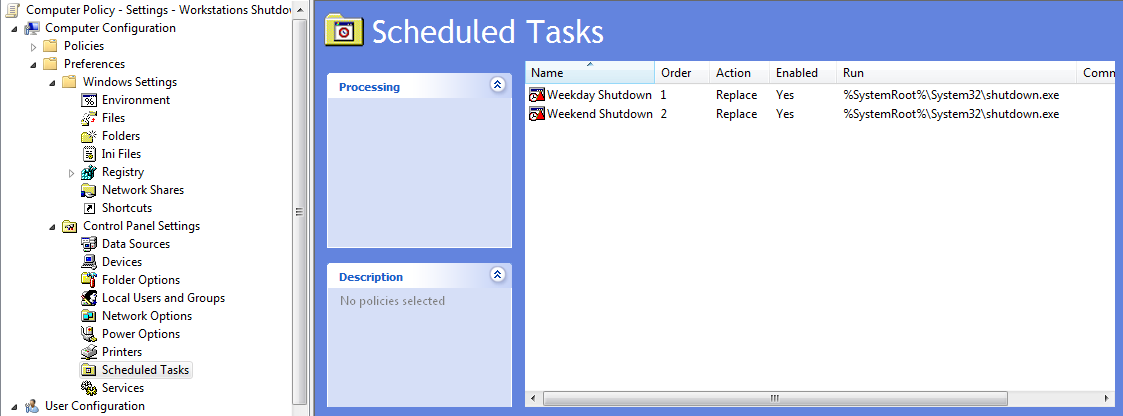
3. Right Click, New Task - and complete a la

4. Repeat as required - we have our machine set to wake on BIOS - so that is why there is a Weekday and Weekend Shutdown - the Weekend shutting down at 9.30am.
Enjoy :-)
4 Comments
Recommended Comments
Create an account or sign in to comment
You need to be a member in order to leave a comment
Create an account
Sign up for a new account in our community. It's easy!
Register a new accountSign in
Already have an account? Sign in here.
Sign In Now