petben
-
Posts
670 -
Joined
-
Last visited
About petben

-
Hello, we have been asked to run a club in an IT room that will require students from both our school and externals logging in. I am wondering what you do to cater for this scenario w.r.t Windows/Office licensing and safeguarding? I feel it is a bit of a grey area with A3 student licensing being given to users not in our organisation. They will need Internet and OneDrive but not anything else really.
-
Hello, up to now we have been working off tall Zarges step ladders to do jobs like replace projectors in high ceilinged rooms (halls, studios etc) or put up lights on the rig in performance spaces. Probably not the safest practice, so what do others do to work at height - up to about 6m for our main hall. Do you use ladders, towers, scissor lifts? How do you cope with the time it takes to setup, maintain, be trained for, compared to just grabbing a ladder? Thanks
-
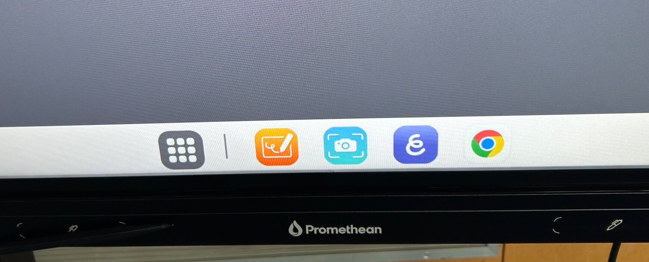
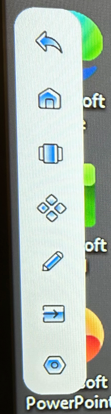
Hello sorry this is a repost, it was sort of incorrectly in the hardware forum. We have some Promethean LE boards and the Android OS is everywhere, really easy to get in to and quite difficult to get out of, there seems to be very limited management potential If anyone has these LE boards and is successfully using them in classrooms I am very interested to make contact. I have disabled the floating blue ball menu I am already removing the side bar menus How can I prevent the swipe up from the bottom menu If this can not be disabled (I bet it can't) , if accidentally gone into how do you get out of these screens and back to the HDMI source (the laptop)? Pressing the input button on the remote control bring up a load of other options that need scrolling/selecting and OK. Finally all these system settings can be accessed and changed by a student if they find an empty room, they could change display settings, security, factory reset etc etc. I know there is set screen lock PIN but this will need to be known and used by all the teachers, it would never be kept secret, how would cover staff know it? It would never work. We need a set ADMIN settings PIN, is that possible?

-
Hello, we have kind of accidentally bought some Promethean LE boards as the LX were EOL. Unfortunaely the LE has a world of menus and a built in OS etc. So can anyone advise what they do to really dumb them down, they will always be connected to a computer, we never want anyone to accessing the Android OS. Ive set the default input to HDMI1 Disable the OS Remove the floating blue 'favorites' orb The sidebar allows users to enter the input menu, with all it's options. Can you prevent that? Prevent the layers menu in the sidebar too any other advice, is there a more 'admin' menu somewhere? Thanks
-
that doesn't work. same error. I dont mind splitting my script into 2 parts - connecting to graph, then disconnect and connect to EOL, but to disconnect the session seems to require closing/opening PS7, can anyone advise a command that will completly kill a connected graph session and another to kill a connected EOL session?
-
Hello, I need to connect to both ExchangeOnlineManagement and Graph at the start of a script If I run this first: Import-Module -Name ExchangeOnlineManagement Connect-ExchangeOnline -ShowBanner:$False It connects to ExchangeOnline, but the Graph connection errors: Import-Module Microsoft.Graph.Authentication -force Connect-MgGraph -NoWelcome -ContextScope Process Connect-MgGraph -NoWelcome -ContextScope Process | ~~~~~~~~~~~~~~~~~~~~~~~~~~~~~~~~~~~~~~~~~~~~~~~~ | InteractiveBrowserCredential authentication failed: Method not found: If I run them in the other order Graph connects but Connect-ExchangeOnline errors: OperationStopped: Object reference not set to an instance of an object. What can I do? Thanks
-
Hello, we have just got out first Unifi switch. A simple Q - I am setting up etherlighting but to access the colour settings you need to go via port manager on a switch. Is this a global setting that will apply to all switches? I can not tell as I only currently have a single switch. If it is not a global setting then how is this going to be useful/configured/managed if we end up having ~50 switches?
-
I am testing WDAC (instead of Applocker), I have allowed 'Managed Apps' so anything deployed via Intune is allowed, and I am adding certain Publisher rules (Avid, Steinberg, Adobe, Logmein etc) to allow some things to run that will or may get installed manually (e.g. Cubase, Wireshark etc), but what we are finding is that it may start installing, but then errors with '...does not meet enterprise requirements' and a path to a random (unsigned) file in .tmp or appdata or something. I can not see how we can implement WDAC and have any manual installs - which will be very annoying. Applocker allows group based restriction, so we have a 'dont apply to admins' thing which obviously works. Any thoughts? Thanks
-
I am doing a log in config for exam accounts - disable spell check, grammar, proofing, shortcuts, hot keys etc. Had a very confused AI conversation that concluded the Office config policies OCP are now deprecated and we should use Purview, which we’re not licensed for, or Intune polices, which don’t really seem complete enough. What do you think? If it’s just Intune polices I could just set HKCU keys with an AutoIT scripted ‘Word.exe’ so any account could open Word with these settings applied, which would be nice.
-
Hello, we have a lot of all-in-ones and they are at an age now where a very common complaint is noise/over heating due to a layer of crusted dust wedged between the fan and heat sink. Opening them is a mega-pain so we were thinking if anyone has had success cleaning all-in-ones using an air compressor (obviously not opening them first)? Any recommendations? Thanks
-
Hello, using GPO we redirect the users desktop folders from a share to keep it tidy and distribute shortcuts. Although we can add shortcuts to Intune managed devices using scripts, it does not support redirected folders like GPO, so students can create x hundred shortcuts on their desktop and and Onedrive by default will move it with them. So, has had anyone had any success (or pushback from users) with turning off OneDrive desktop folder sync, setting permisisons on the desktop folder or getting rid of ALL desktop icons and just controlling the start menu icons. Maybe something else..? Thanks for any ideas.
-
Windows Defender App Control (WDAC) and Papercut
petben replied to petben's topic in Enterprise Software
thanks for all the help. I am surprised you are not using WDAC Supplemental polices to allow all those Publisher rules? -
Windows Defender App Control (WDAC) and Papercut
petben replied to petben's topic in Enterprise Software
thanks, could you please send a copy of the applocker 'block store apps' .xml, just so I can see the idea. -
Windows Defender App Control (WDAC) and Papercut
petben replied to petben's topic in Enterprise Software
Ha, last thing (!)..sorry. The policies now work We are finding ALL Store apps are running, I assume this is honouring the allow 'Microsoft Store Applications' bit in my base policy (below), but we really want to block all apps apart from some we specify. Have you editid your base policy (I was hoping to find something obvious like <Setting Value="Enabled:Allow Microsoft Store Apps" />, but there's not) or you done something else? Thanks
-
Windows Defender App Control (WDAC) and Papercut
petben replied to petben's topic in Enterprise Software
thanks, last thing, did you select the 2 x 'Merge with recommended...' settings? I initially did, then got loads of errors so I turned them off. I am thinking with that trusted installer policy it will be now be OK to enable. Thanks for ur advice.